

Deactivate blocks from calculation#
This feature allows you to completely exclude a block from the simulation without deleting it. Visually, the block becomes grayed out, and all its input and output ports are disconnected from the circuit. The output signal of such a block becomes undefined (usually zero or “grounded”), and further logic that depends on this signal stops working.
In order to deactivate the required block from the calculation, you must:
Select the block that should be deactivated from the simulation by clicking on it with LMB;
Click RMB on the selected block;
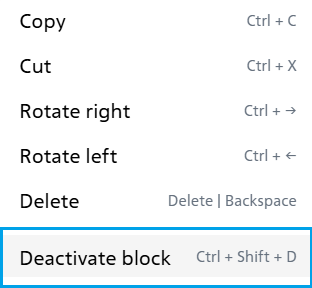
Fig. 1 Deactivating the block#
Hint
You can also use hot keys to deactivate the block by pressing the following combination Ctrl + Shift + D (see Fig. 1 above).
After deactivating the block (see Fig. 2 below):
it turns grey (inactive);
all communication lines connected to it become dotted (also inactive);
all its input and output ports are disconnected from the circuit.
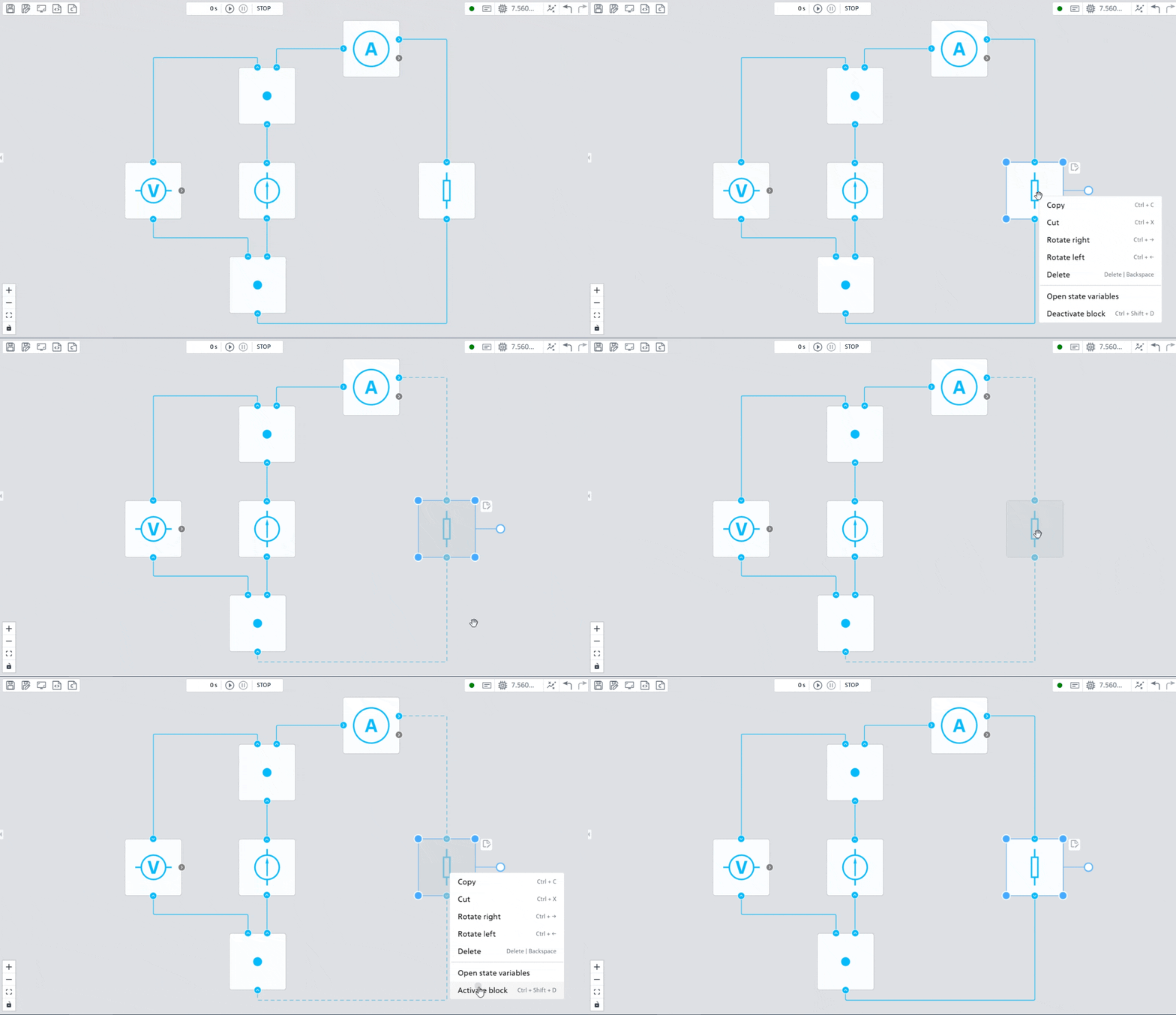
Fig. 2 Diagram with the block deactivated#
Note
To turn on the block, you need to use one of the above methods for deactivating the block:
Hint
You can deactivate any number of blocks;
Blocks can only be activated on when the calculation is not running (see Fig. 2 above).