

Out Arduino PIN#
Block appearance in REPEAT VISION#
The Out Arduino PIN block represents the control pin of the Arduino Nano, Uno, and Mega boards.
In the Signal name block property, select which signal will be transmitted to the board: Digital or Analog. Depending on the selected signal, in the Pin Number property, you must write the pin number to which the signal from the model will come. This is how the board’s output pin is initialized.
Important
Only the digit of the selected pin is written to the Pin Number property. The definition of an analog or digital pin is done via the Signal name property.
Pin numbers for Arduino boards:
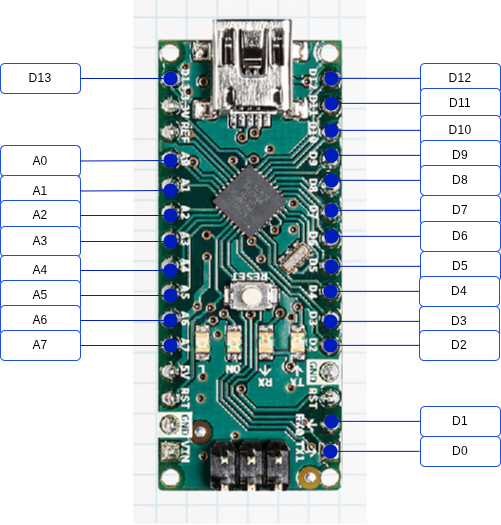
Fig. 1 Arduino Nano#
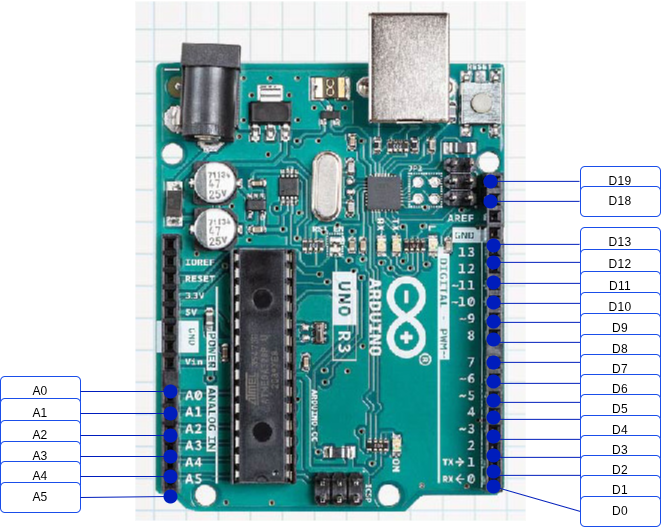
Fig. 2 Arduino Uno#
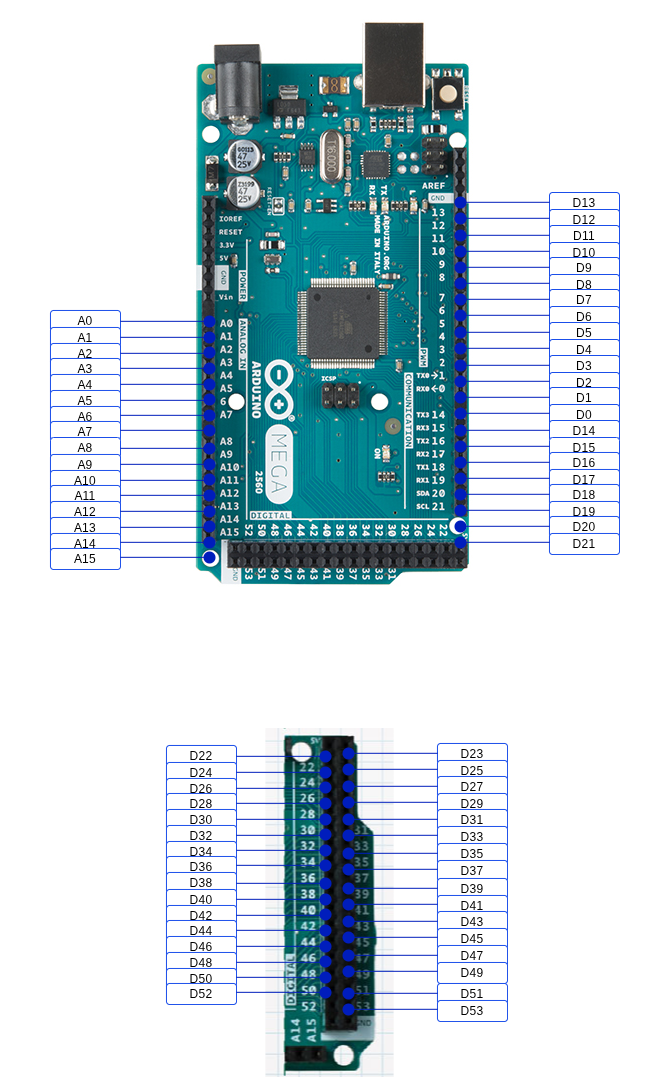
Fig. 3 Arduino Mega#
1. Properties#
Property |
Default Value |
Description |
Units of measurement |
|---|---|---|---|
Signal name: |
Digital |
Defining the output signal of the model |
- |
1 |
Output pin number of the control board |
- |
2. Inputs and outputs#
Parameters |
Input/Output |
Description |
Units of measurement |
Port type |
|---|---|---|---|---|
Input |
Input |
- |
- |
Automation |
In order to see the connection capabilities of the block, you need to go to page Description of block ports
3. Code generation#
Important
Block supports C source code generation