

Workspace (canvas)#
The main workspace occupies most of the screen. The workspace provides a coordinate plane for creating a circuit, placing and working interactively with objects. Each circuit object has a properties setting panel and a simulation process dashboard.
For proper circuit creation, all blocks involved in the simulation shall be linked (or assigned to for linking to other blocks). Each block has ports for linking to other blocks (see Fig. 1). Indicators or static objects (not calculated in the model) can be placed arbitrarily. The selected current block is highlighted by a blue frame.
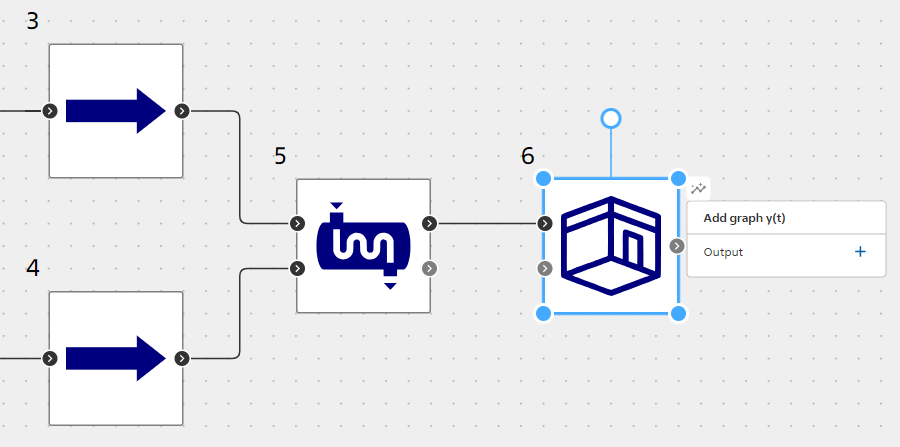 Fig. 1 Creating a circuit from blocks and connecting them with links.
If the port is not involved in the circuit, then it has a gray fill  , and when you hover over this port, the crosshair icon and the port name appear signaling that this port can be linked. If the port is already involved in the circuit, then it has a black fill
 , and when you hover over this port, the port name appears without a crosshair signaling that this port cannot be involved in any other way. On the ports themselves, there is a mnemonic symbol of input
 and output
 .