
My Blocks#

 Viewing «My Blocks» occurs after clicking LMB on the «My Blocks» folder located in the project tree, Fig. 1:
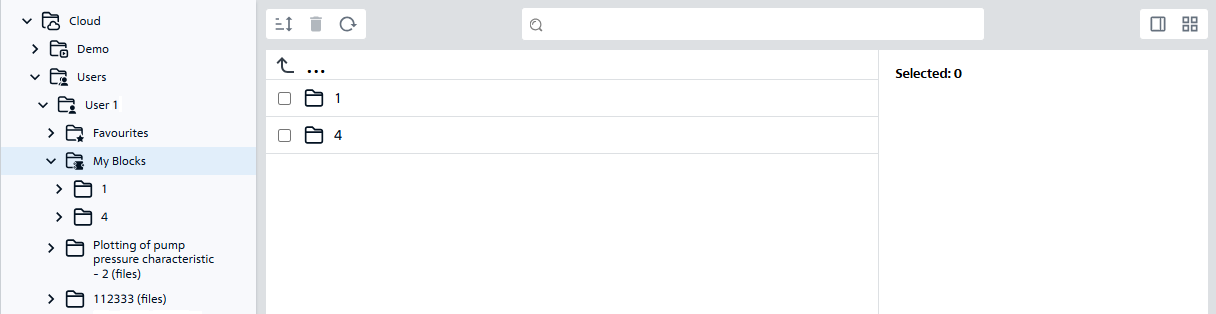
Fig. 1 «My Blocks»

Fig. 1 «My Blocks»#

 All custom blocks are located in the corresponding folders, which can also be expanded in the project tree, Fig. 2:
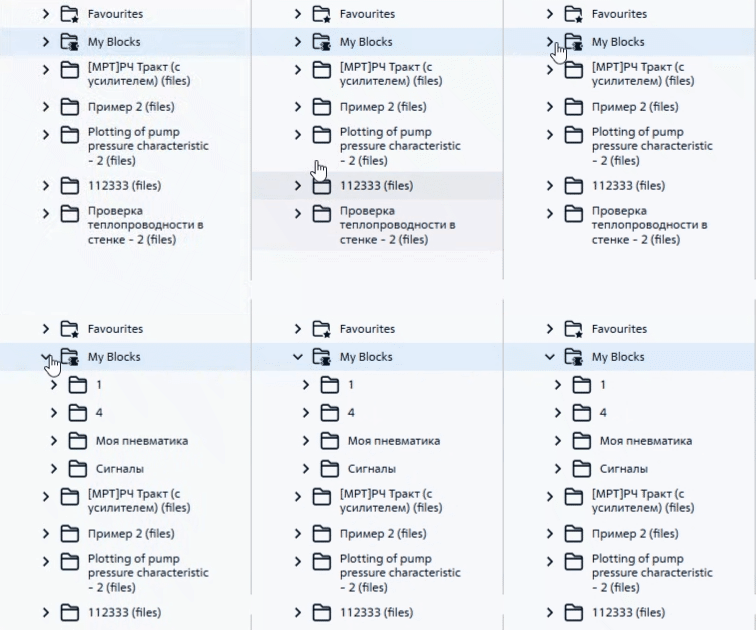
Fig. 2 Folders with custom blocks

Fig. 2 Folders with custom blocks#

Hint

  • In order to open the list of folders with your blocks in the tree with projects, you need to click LMB on the button button_r (see Fig. 2 above);

  • To hide the list of folders with your blocks from the project tree, you need to click LMB on the button button_d.