

Outport#
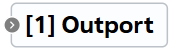
Block appearance in REPEAT VISION#
The Outport block is an auxiliary block for data transfer in the following cases:
Passing data from models nested in a block Project;
Passing data from group or custom block to the project;
Passing data from a project to external programs created with Python;
Passing data from a project to external programs via REST API.
1. Properties#
Property |
Default Value |
Description |
Units of measurement |
|---|---|---|---|
System name |
out_1 |
Set by the system |
- |
User name |
Outport |
User defined |
- |
Index number |
1 |
The number is assigned automatically, each new similar block is numbered in sequence |
- |
2. Inputs and outputs#
Parameters |
Input/Output |
Description |
Units of measurement |
Port type |
|---|---|---|---|---|
Input |
Input |
- |
- |
All port types |
In order to see the connection capabilities of the block, you need to go to page Description of block ports
3. Examples of use#
Examples of using this block can be found in the following sections:
Description of Demo.
Tutorials
Library |
Tutorial name |
|---|---|
|
|
|
Construction of the flow-pressure characteristics of the network |
How-to guides
Section |
Guide name |
|---|---|
Electrical equipment / Power industry |
Implementation of DC insert and harmonic analysis of electric power system currents |
Machine learning approximation |
Approximation model of gas flow through a nozzle; |
Integration with the REPEAT VISION platform |
Integration with the REPEAT VISION platform via a web interface |
Solving optimization tasks |
Maximizing gas production rate in the gas well cluster collection system; |