

Model preparation for automation#
The following conditions shall be met to automate work with REPEAT VISION model:
The model shall be debugged, it shall contain no startup errors, and calculation shall terminate successfully;
The model shall contain global variables associated with the block properties you need. Global variables of REPEAT VISION model are used to get initial values of properties by web API. The parameters and boundary condition values from your Python program are recorded in global variables of the model.
Tip
For your convenience, add the Outport block from the External models library to the REPEAT VISION model.
Assign a unique User name to the block, in its properties, for further reference in Python code to get the calculation results into your Python program.
While performing this tutorial, you will learn skills about preparing a REPEAT VISION model for automation:
The skill to add a global variable and apply it to a model block;
Skills to work with Outport block and get calculation results in your program using it.
1. Start of work#
Firstly, it is necessary to select a proven model that successfully performs the calculation. The example of determining the flow rate in a pipeline located between two Reservoirs is suitable for such a model. Save this tutorial project with a new name, e.g., Model preparation for automation, Fig. 1:
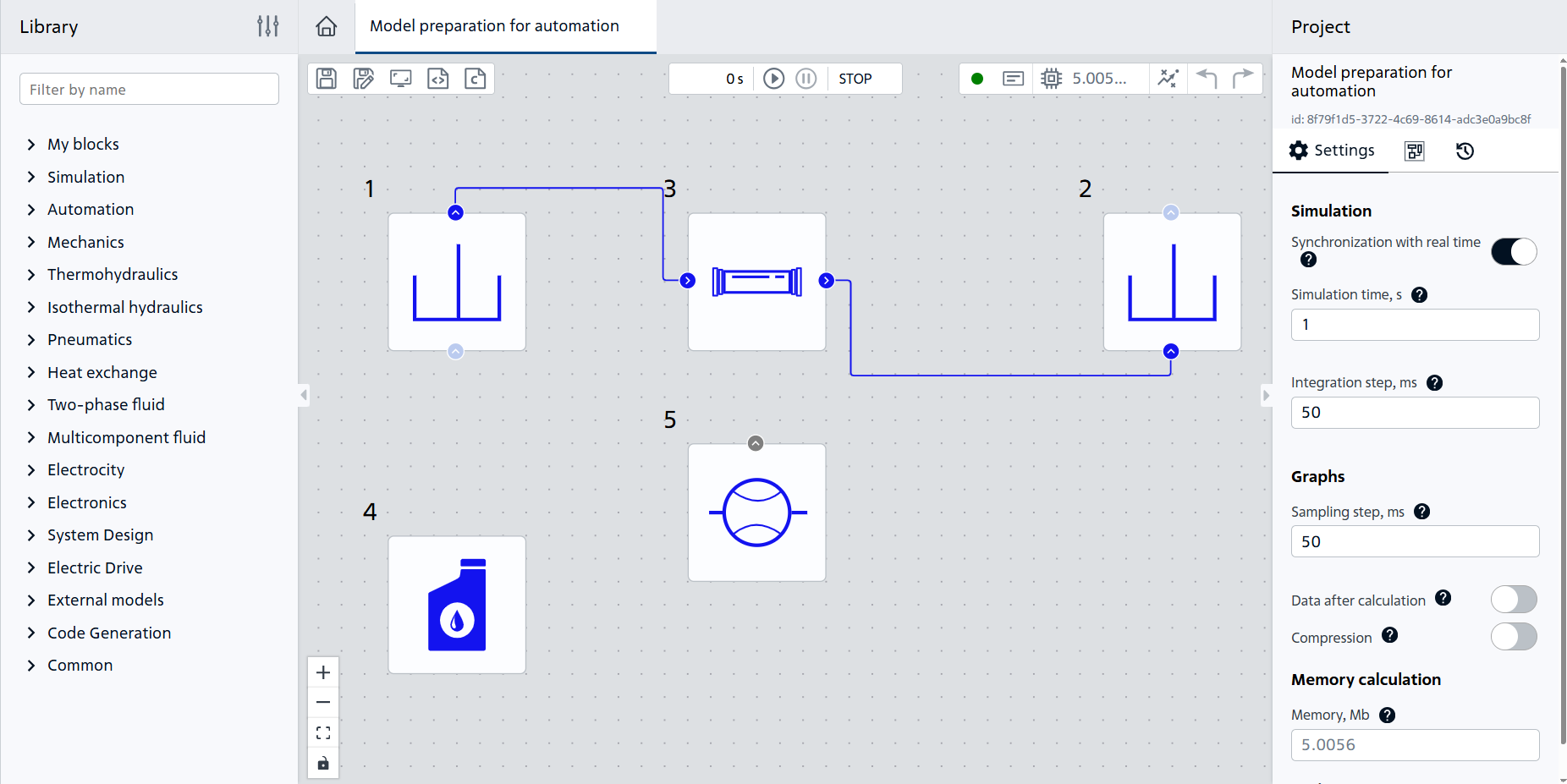
Fig. 1 Creating a project#
2. Create a global variable#
Global variables are required to ensure that parameter values are passed from Python program to REPEAT VISION model.
Let’s use the hydrodynamic model as an example to create a new variable to be able to control the overpressure boundary condition in block №1 Reservoir (IH).
Open Variables tab located below the workspace in REPEAT VISION application, Fig. 2:
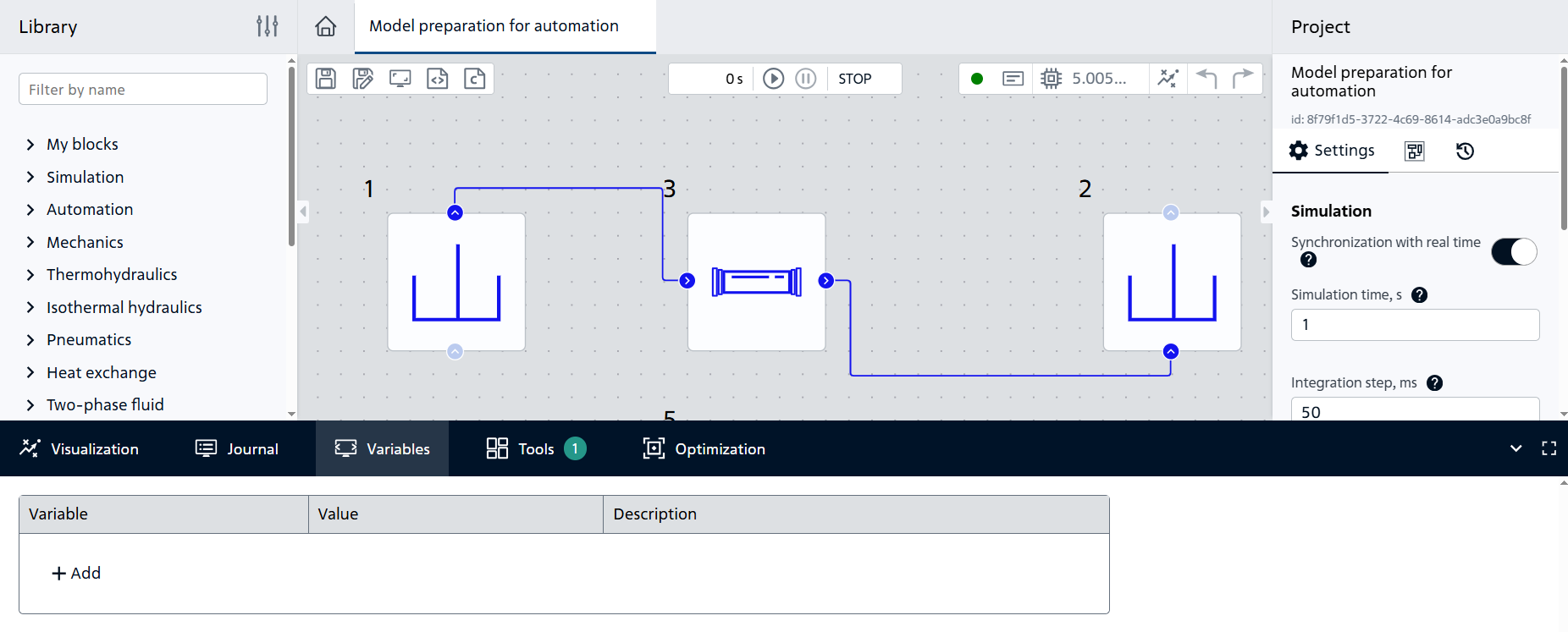
Fig. 2 Variables tab#
This will result in a table with three columns:
Variableto create a new variable name,Valueto create a constant real value of variable value,Descriptionto be able to add a description of the variable.
Click on + Add table button to create an overpressure variable and fill in the blank cells according to the table:
Variable |
Value |
|---|---|
pressure |
70000 |
As a result Variables table shall be filled in as follows, Fig. 3:
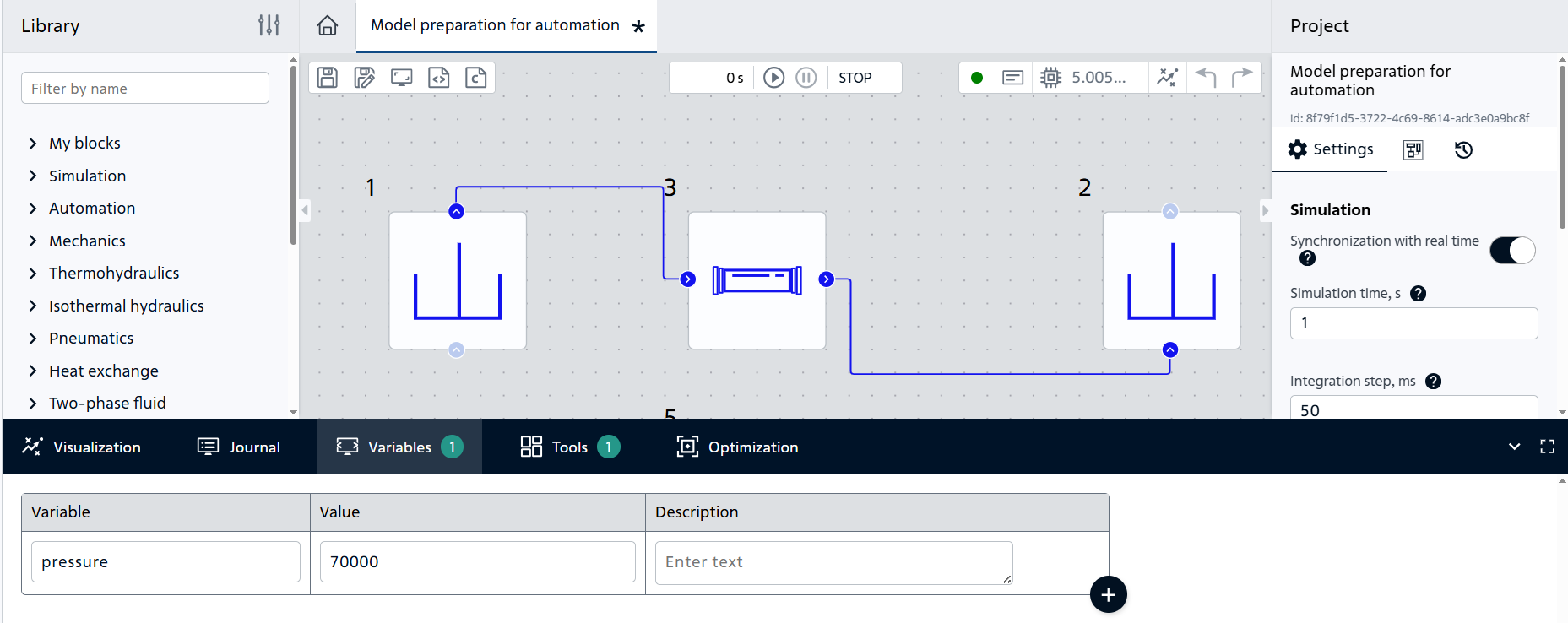
Fig. 3 Filled table with variable#
Next, the new global variable needs to be associated with the block property. Let’s assign the value of the name global variable pressure to the property Gauge pressure of block №1 Reservoir (IH), Fig. 4:
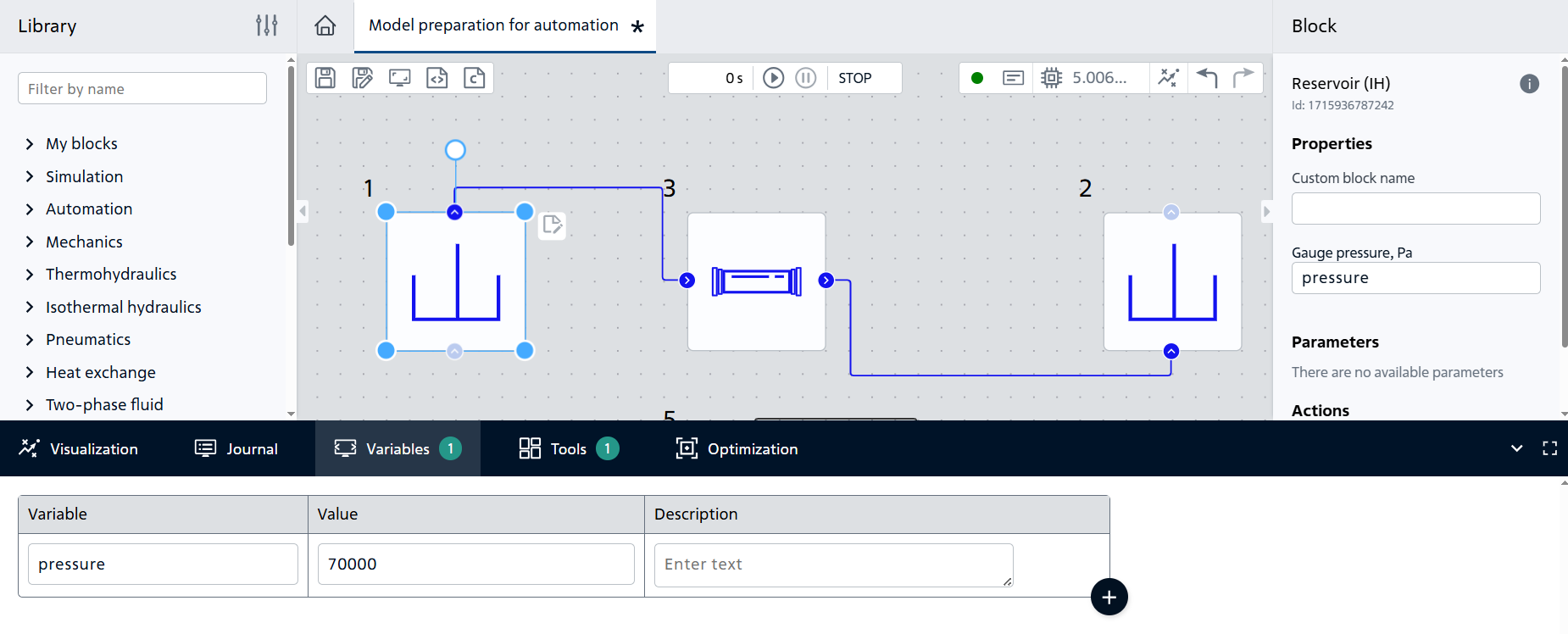
Fig. 4 Assigning a name to a global variable#
As a result, the value of the Gauge pressure property of block №1 Reservoir (IH) is controlled through the value of the global variable pressure.
Now changing the values of an existing global variable pressure of REPEAT VISION model is available from the web API and repeat module of Python programming language.
3. Creating an outport block to access the results#
In order to access REPEAT VISION model calculation results conveniently via web API or from Python program, let’s add Outport block from External models library to the model scheme, Fig. 5:
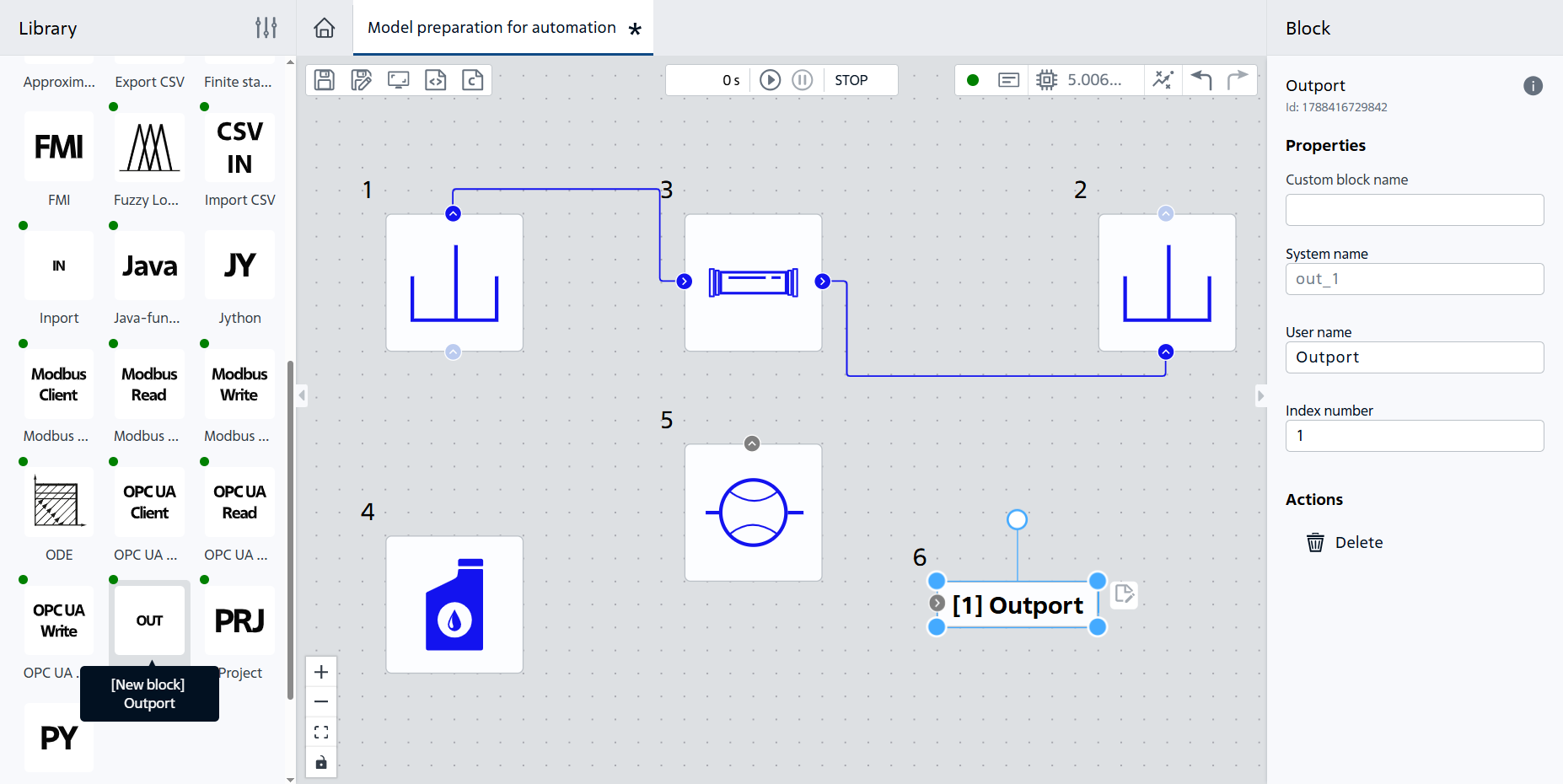
Fig. 5 Adding the Outport block#
Then create a connection between Outport block and block with results we need to get via web API or in Python program. In our example, create a link to block №5 Flow sensor (IH) according to the Fig. 6:
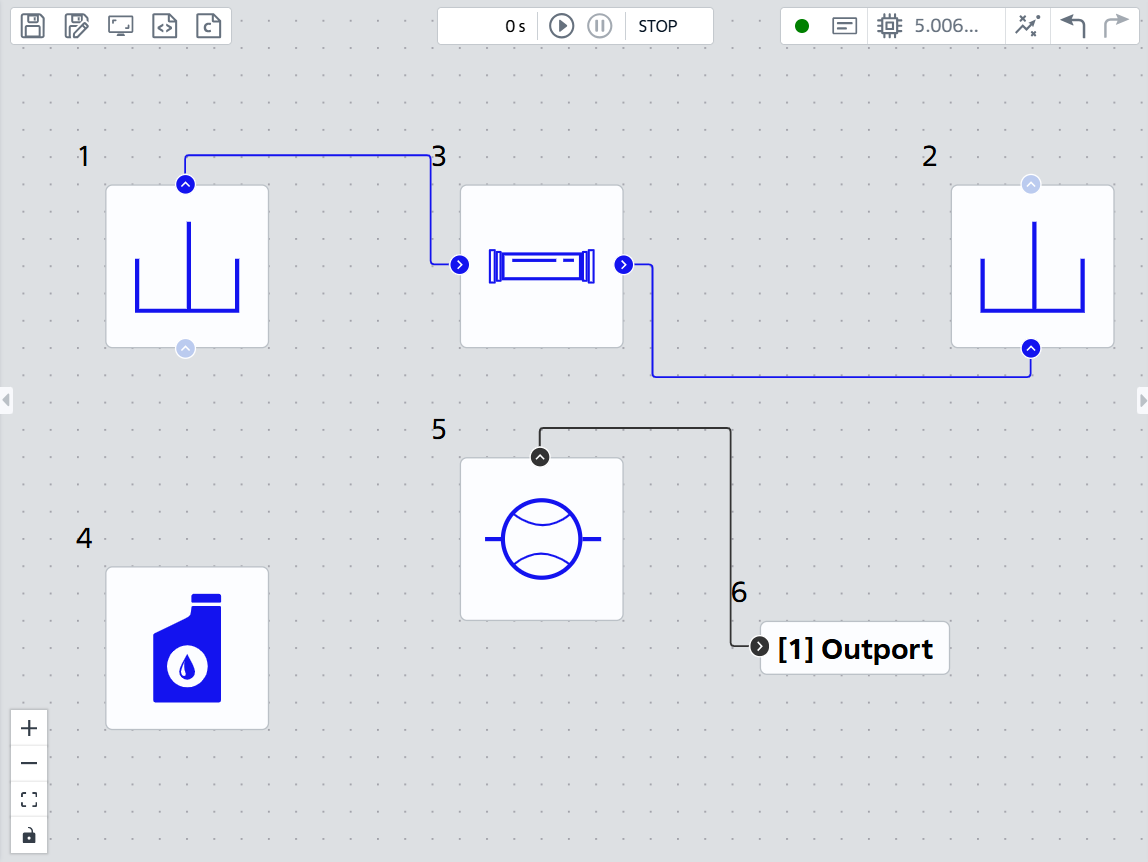
Fig. 6 Connecting blocks#
Now it is necessary to name User name property in Outport block. As in the example we need to get the flow rate results, we will assign the appropriate name - flowrate, Fig. 7:
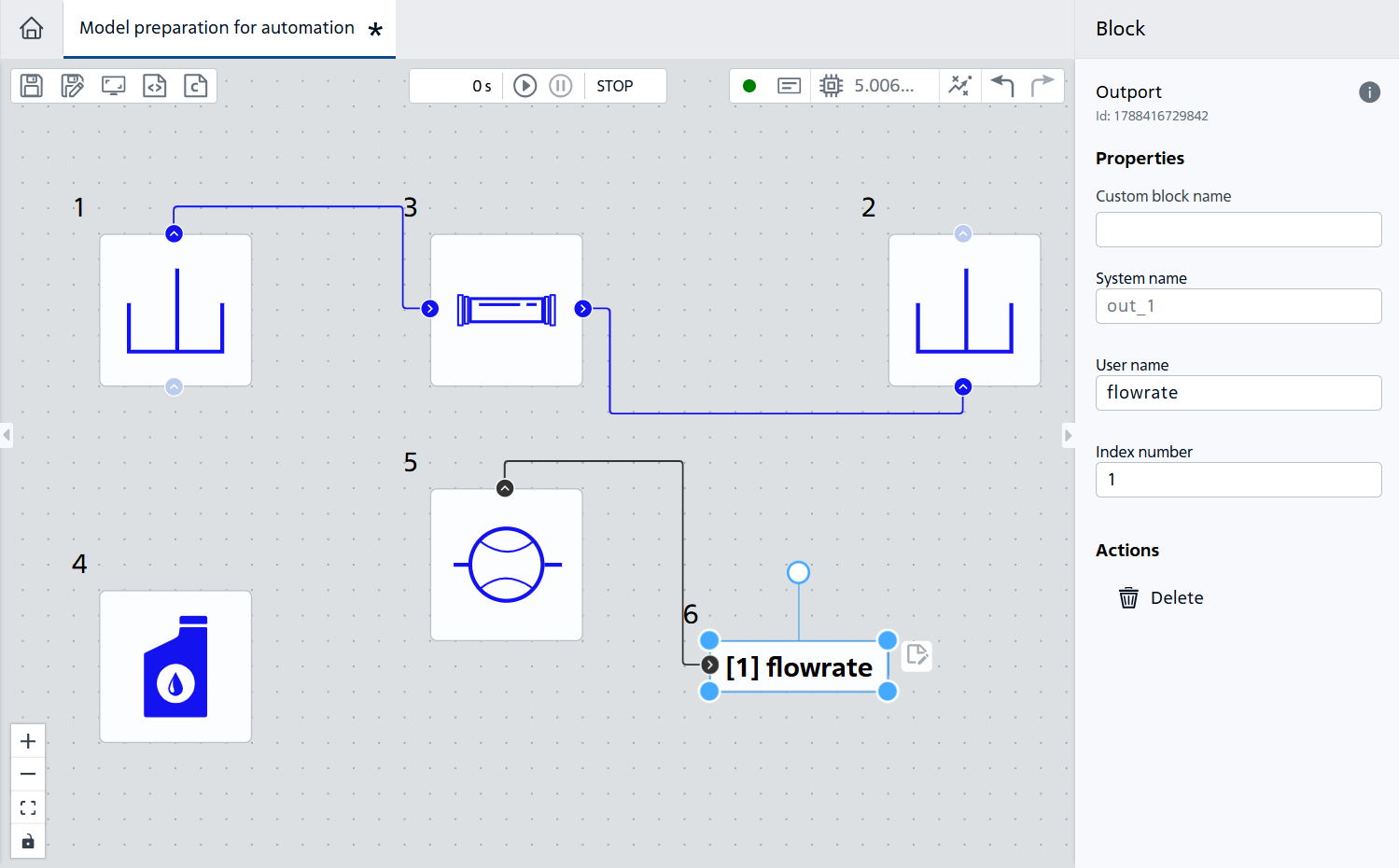
Fig. 7 Renaming the Outport block#
4. Check the model after performing the previous steps#
Start the calculation using the “Start simulation” button 
The calculation shall successfully complete with the following message:
Modeling stopped on the solver side due to modeling time limit exceeded.
The calculation will result in a new mass flow rate value {math} 479.67 [kg/s] for an overpressure value {math} 70000 [Pa] in the Flow sensor (IH) block as shown on the Fig. 8:
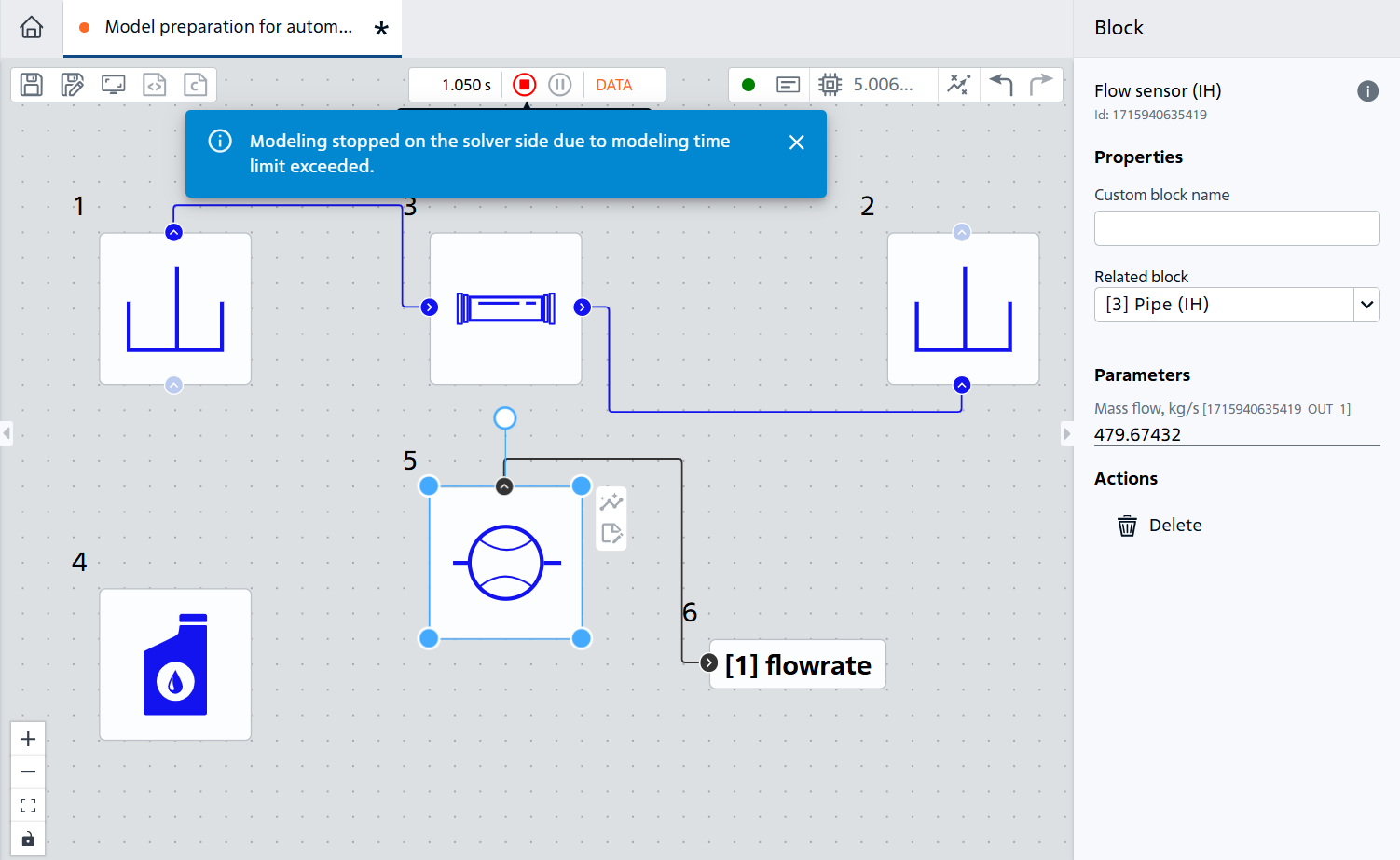
Fig. 8 New mass flow value#
As a result of this tutorial, you have learned how to prepare REPEAT VISION model to interact with your Python code or to interact with other programs via the web API.