

JupyterLite#
JupyterLite is integrated in REPEAT VISION to automate the work with the model using the Python programming language.
In this tutorial, you will learn:
about how to install and import the
repeatmodule for the Python programming language into JupyterLite;about help options in the JupyterLite notepad interface.
Attention
For JupyterLite Pyodide is used as Python interpreter. Pyodide is designed to use on your browser resources on your computer using Node.js and WebAssembly. Pyodide is not CPython, and is its Python implementation for WebAssembly, Emscripten.
Popular libraries developed for Python are ported by the community separately for Pyodide. Not all popular libraries are fully adapted for Pyodide. There are some restrictions on operation including the standard libraryPython.
A significant part of libraries for data analysis and engineering computations are available in list libraries adaptable with Pyodide.
Important
It is recommended to learn the basic interface and basic features before reading this tutorial Jupyter
1. Preparing to use JupyterLite#
Start JupyterLite by pressing buttons in sequence:
Tools
 and then
Notebook

2. First use#
It is necessary to create notebook for Python in JupyterLite interface by clicking Python(Pyodide) button in Launcher.
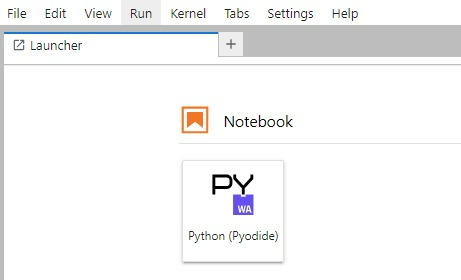
This opens an interface to prepare the code and comments to it.

It is necessary to execute commands in the first mesh to install and import repeat package, designed to automate the work with REPEAT VISION model.
Important
A feature of using JupyterLite and Pyodide interpreter is the need to use piplite package to install any packages. Such actions are not required in classic CPython implementation of Python programming language.
Next, repeat package is installed in the first mesh of JupyterLite notepad.
import piplite
await piplite.install('repeat')
Then the installed package is imported. The package is named rp for easy use of package name in your program code.
import repeat as rp
The further steps of using repeat package are the same for JupyterLite and for Python in its classic CPython implementation.
3. Calling the package help in notebook#
The following command is required to be executed to obtain information directly in notebook interface
rp?
This command will display basic information about the package and an example of how to use repeatpackage.
4. All tutorial code#
import piplite
await piplite.install('repeat')

import repeat as rp

rp?
You have learned the following skills as a result of completing the tutorial:
skills to install either
repeatpackage, or other supported packages Pyodide in JupyterLite notebook;skills to import
repeatpackage and call its help.
To learn the basic features of repeat module automate work with REPEAT VISION model, go to next tutorial on using the repeat module in Python code.