

Check Dynamic Range#
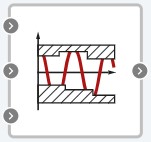
Block appearance in REPEAT VISION#
The Check Dynamic Range block checks that the signal not goes beyond the range of values at each time step and performs an assertion after the comparison. The width of the gap may vary from time step to time step. The input port is the input signal being tested. Inputs Lower bound and Upper bound define the lower and upper gap boundaries, respectively. If the signal falls outside the gap defined by the boundaries, the statement is true (1) and the block performs nothing. If not, the block stops the simulation and returns a default error message.
1. Properties#
Property |
Default Value |
Description |
Units of measurement |
|---|---|---|---|
Enabled check |
On |
Block accounting when calculating |
- |
Availability of calculation stop |
On |
Stops calculation in case of check error |
- |
Off |
Responsible for output port visibility |
- |
|
Message when assertion fails |
error |
Check error response message |
- |
2. Inputs and outputs#
Parameters |
Input/Output |
Description |
Units of measurement |
Port type |
|---|---|---|---|---|
Input |
Upper bound range |
- |
Automation |
|
Input |
Input |
- |
- |
Automation |
Input |
Lower bound range |
- |
Automation |
|
Output |
Output |
Available when property |
- |
Automation |
In order to see the connection capabilities of the block, you need to go to page Description of block ports
3. Code generation#
Important
Block supports C source code generation