

Search for blocks by double-clicking on the canvas#
This feature allows you to search for blocks by double-clicking LMB on the canvas.
To use this function, you need to (see Fig. 1 below):
Double-click LMB on the canvas;
Enter the block name (or part of it) in the window that opens;
LMB click on the full name of a block in the list to add it to the canvas.
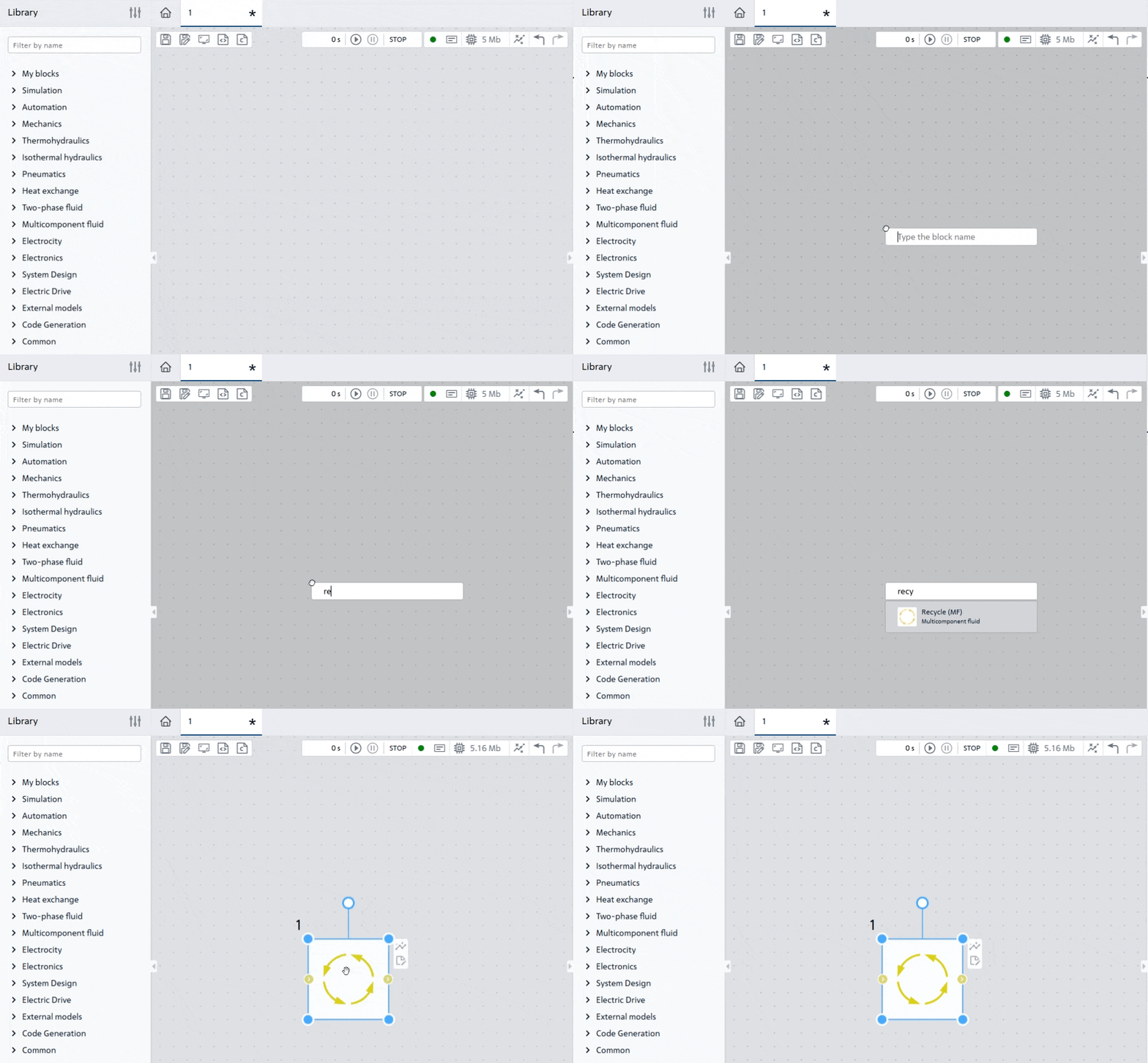
Fig. 1 Search for a block by double-clicking on the canvas#