

Meter#
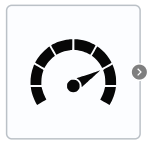
Block appearance in REPEAT VISION#
The Meter block allows to display signals from different blocks of the project for display on a graph or for use as an input signal for other blocks.
1. Variable#
Name |
Default Value |
Description |
Units of measurement |
|---|---|---|---|
Block |
Block |
You need to select a block that was previously added to the canvas |
- |
Parameter |
Parameter |
You must select an available parameter of the selected block |
- |
Gain factor |
1.0 |
- |
- |
2. Inputs and outputs#
Parameters |
Input/Output |
Description |
Units of measurement |
Port type |
|---|---|---|---|---|
- |
Output |
- |
- |
Automation |
In order to see the connection capabilities of the block, you need to go to page Description of block ports
3. Examples of use#
Examples of using this block can be found in the following sections:
Description of Demo.
Tutorials
Library |
Tutorial name |
|---|---|
Heat exchange |
|
Electronics |
Power system with three-phase three-winding transformer; |
How-to guides
Section |
Guide name |
|---|---|
Machine learning approximation |