

Platform graphical user interface#
The client part of the Application is SW, accessed through a web interface, through which it is downloaded to the PC of the user and provides a graphical environment for the creation and modeling of automation, electrical engineering, electronics, mechanics, etc. During operation, the Application requests the server part to implement the necessary functions via the API interface.
The Application design is implemented as a single-page application (SPA), with a corresponding arrangement of the main controls around the application work area, where the user creates a scheme corresponding to the project for its calculation and modeling. Below are the main components of the Main GUI Window of the Application:
Tab switching panel (top), including quick access to projects;
Panel to control project settings and elementary block properties (right side);
The working area / Workspace (canvas which occupies most of the screen), including the model control panel;
Panel of elementary blocks;
Visualization panel, Journal, Variables and Tools (expandable panel).
Sidebar, including help and access to projects, technical support, platform version history, help, personal account, and access to the authorization page (UA).
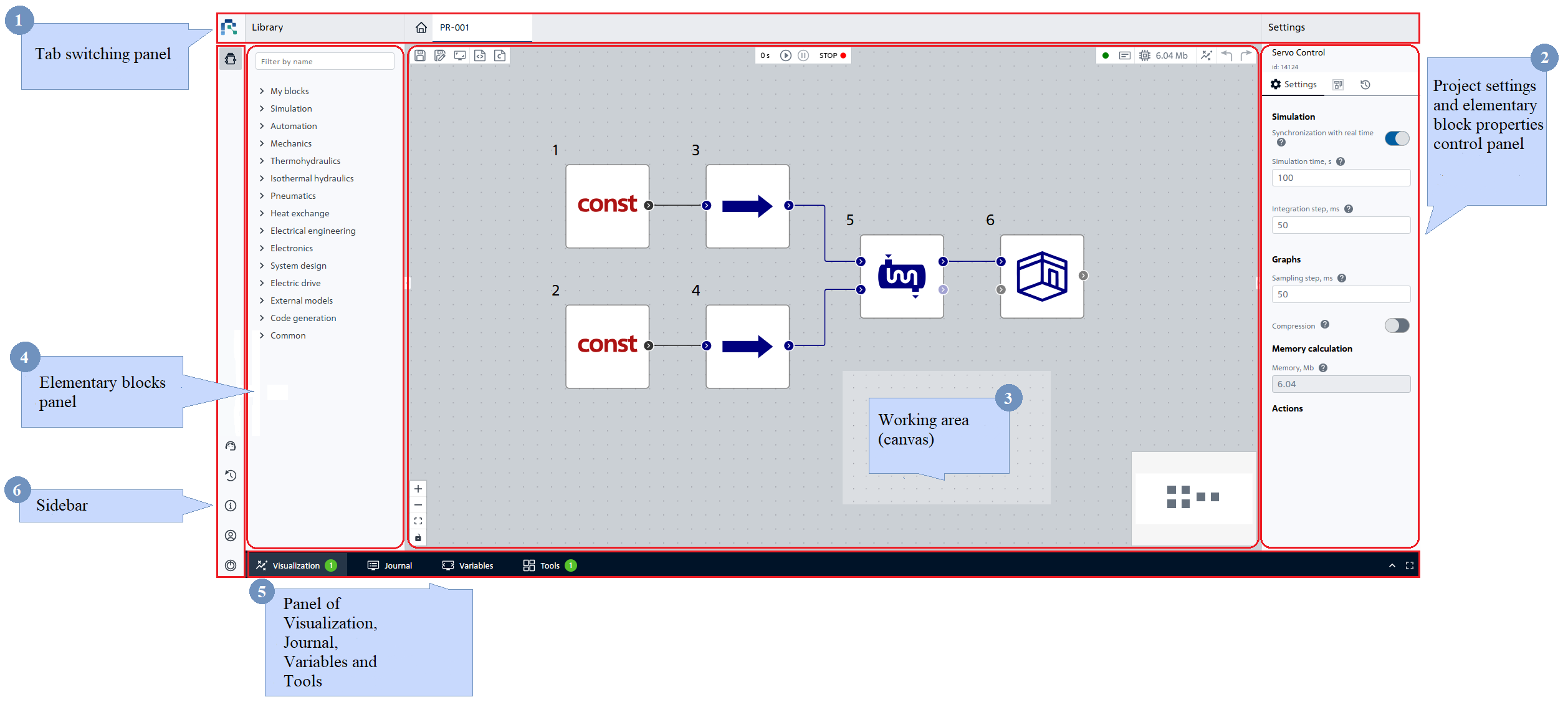
The main window of the graphical interface#
All panels are hierarchically dependent, and most operations come down to selecting a subject entity (object), working with it and placing it on the work area. Any object placed in the workspace (except static elements and layers) has properties for parameterization and calculation parameters displayed in the connection mode with the model (the executive system of calculations and modeling).
Hint
The new interface now allows you to change the size of panels:
Managing project settings and properties of elementary blocks (on the right);
Elementary blocks (left);
Bottom (Visualization panel, Journal, Variables and Tools).
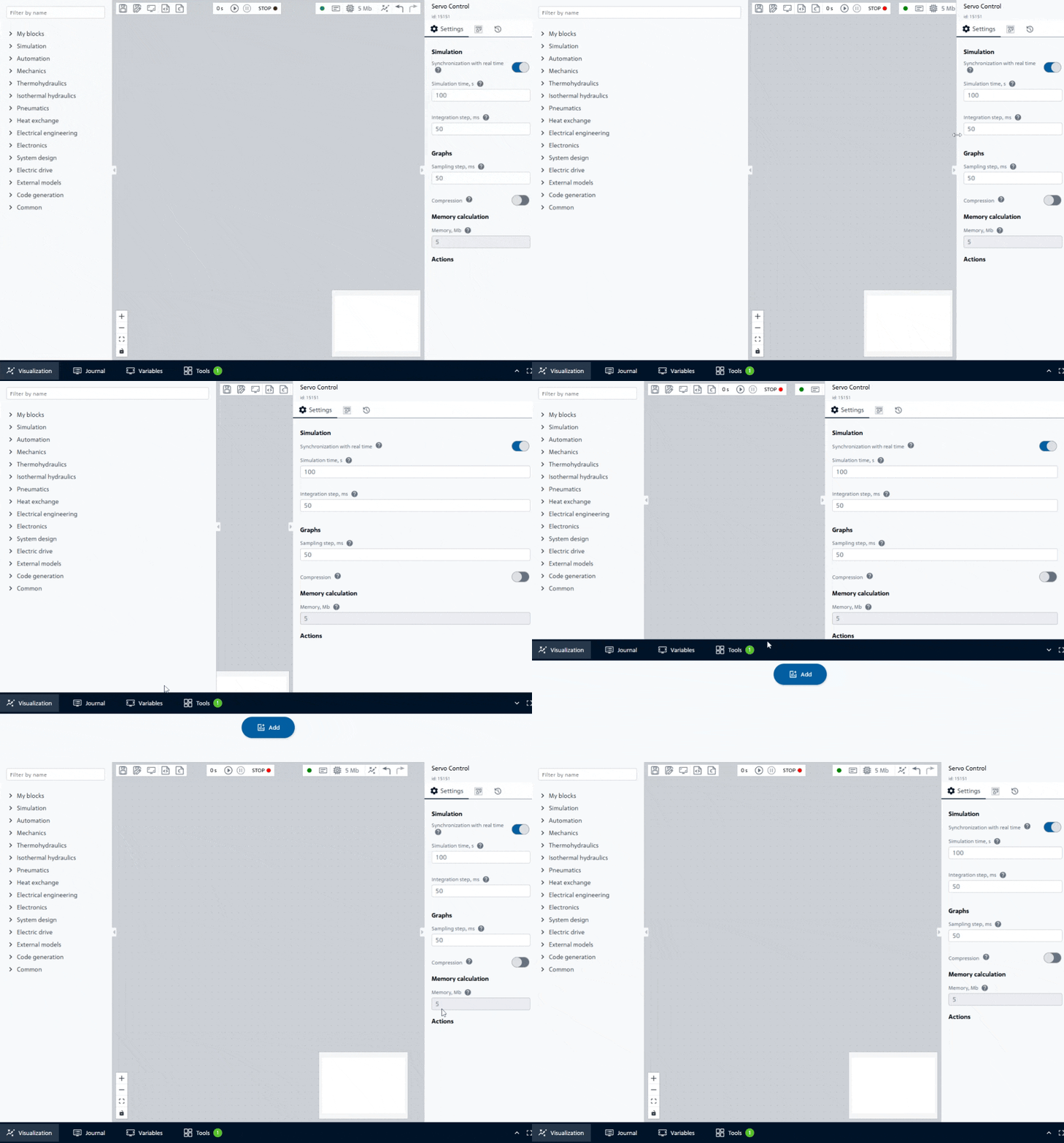
Changing panel sizes#
The server part represents a set of interoperable services (not reviewed in the help and summarized below for the purpose of understanding the App’s messages and errors in the Journal):
service of the executive system (simulation core);
code generation and task collection service;
user authorization and authentication service;
event logbook service;
service of data exchange with the model;
server logic subsystem;
user management service;
API gateway.
- Projects
- Main elements of the App
- Hot keys