

Stepper motor#
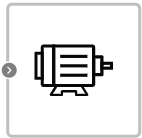
Block appearance in REPEAT VISION#
The Stepper motor block describes how to interface a stepper motor with Arduino boards. It simulates both a unipolar and a bipolar stepper motor.
Note
The type of stepper motor only affects the physical connection to the Arduino microcontroller.
Block properties can be divided into:
identifying (
Stepper motor nameandMotor step number variable name), form a unique name for the block and step number variable;settings of the stepper motor itself.
In the block property Stepper motor name the name of the motor in the model is written, thanks to this property several blocks with different names can be placed on the model, when forming the C source code of the model there will be no copying of blocks. The Motor step number variable name property specifies the “name” of the variable that stores the number of steps taken by the motor. The property is necessary for forming the correct structure of the C source code of the model.
Stepper motor settings include the following properties:
Stepper motor speed– determines the value of the stepper motor rotation speed, [rpm];Delay time– the time for which the rotation of the stepper motor is delayed is set, [μs];Number of motor steps– The number of steps that the stepper motor must take in 1 revolution is indicated, [step];Stepper motor connection pin numbers №
1,2,3,4– the pin numbers of the Arduino boards to which the stepper motor or motor driver is connected are written.
Important
The stepper motor is controlled by digital pins 8, 9, 10 and 11 for unipolar or bipolar motors. If more complex compound examples need to be implemented, the stepper motor must be connected via a driver to the microcontrollers.
Important
The block input can be supplied with rotation speed values in the range from 0 to 180 ̊ .
1. Properties#
Property |
Default Value |
Description |
Units of measurement |
|---|---|---|---|
60 |
Stepper motor rotation speed |
rpm |
|
500 |
Stepper motor rotation delay time |
µs |
|
motor |
Block name for C sources |
- |
|
200 |
Number of motor steps per revolution |
step |
|
8 |
The pin number of the Arduino board to which the stepper motor is connected |
- |
|
9 |
The pin number of the Arduino board to which the stepper motor is connected |
- |
|
10 |
The pin number of the Arduino board to which the stepper motor is connected |
- |
|
11 |
The pin number of the Arduino board to which the stepper motor is connected |
- |
|
steps |
The name of the variable into which the number of engine steps is written. |
- |
2. Inputs and outputs#
Parameters |
Input/Output |
Description |
Units of measurement |
Port type |
|---|---|---|---|---|
Input |
Input |
- |
- |
Automation |
In order to see the connection capabilities of the block, you need to go to page Description of block ports
3. Code generation#
Important
Block supports C source code generation