

Nodes from the connection#
This function is analogous to the Node block implemented in the libraries:
Mechanics rotational и translational movements;
and implements the functionality of connecting two or more elements of one network.
To make a node appear, you need to double-click LMB anywhere along the line connecting the blocks, Fig. 1:
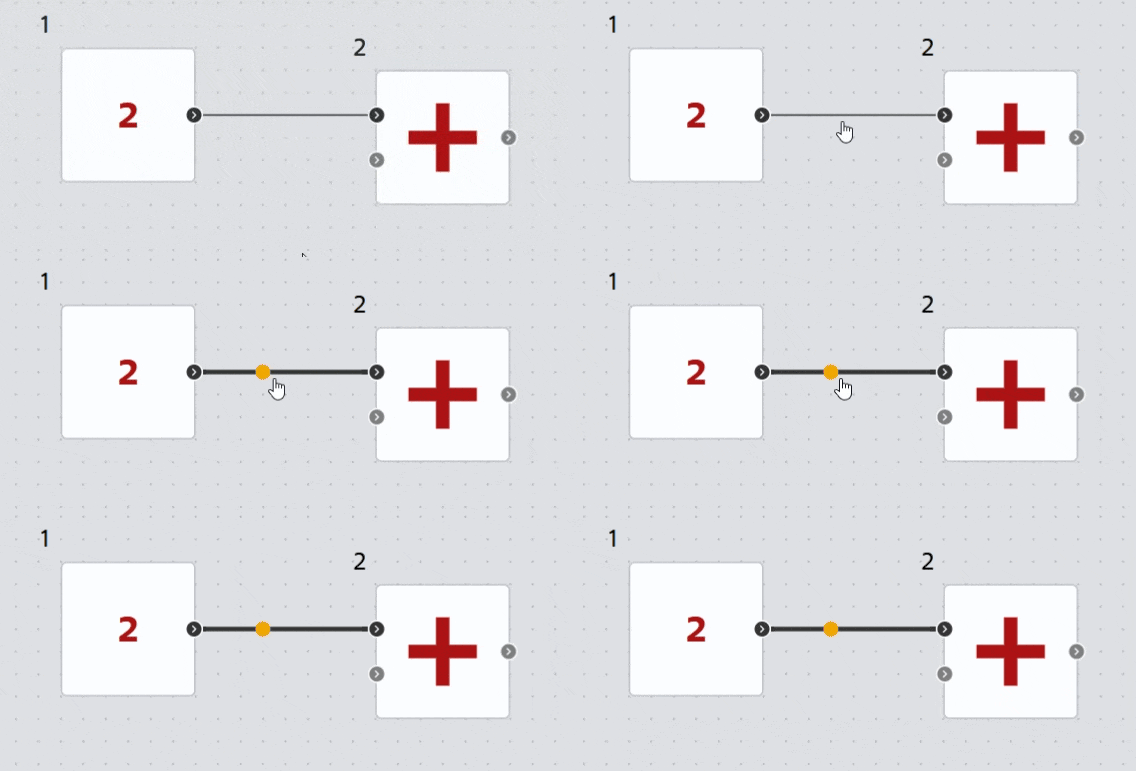
Fig. 1 Obtaining a node on the diagram#
The color of the node is determined by the connection type and fully corresponds to it (see Colored block port connections). An example of the color of nodes, Fig. 2:
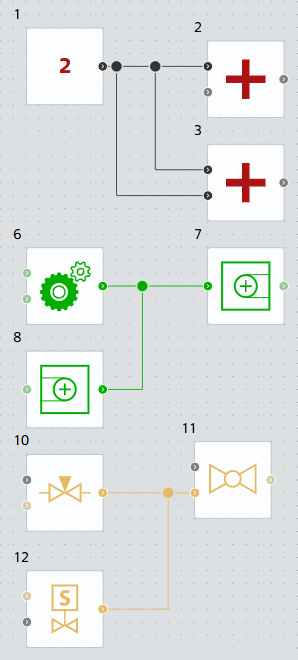
Fig. 2. Example of displaying node colors#
A node is also created when a new connection line is drawn from a block to an already created connection of the same type, Fig. 3:
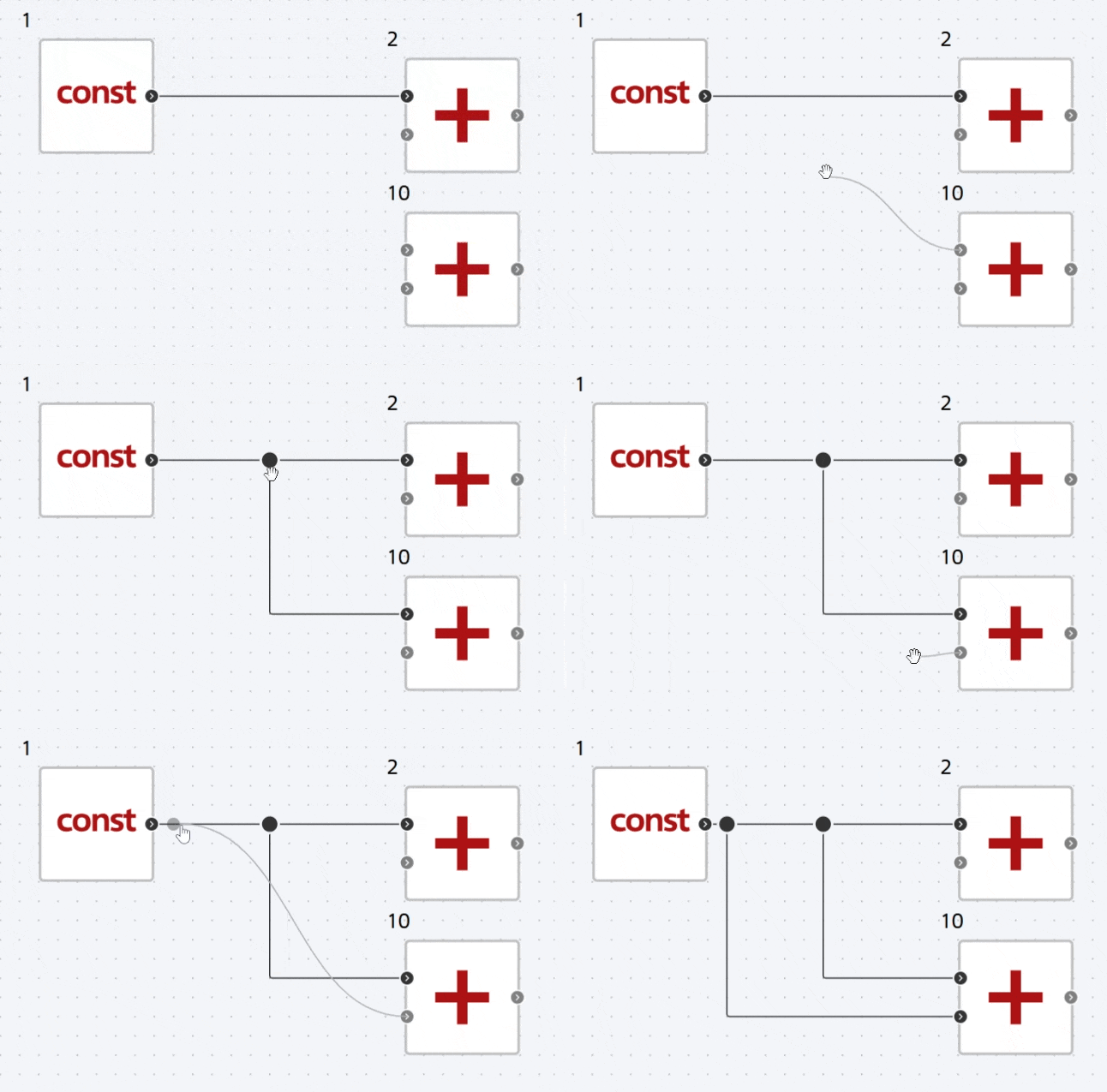
Fig. 3 Example of creating a node#
An already created node can be moved along the connection line with the possibility of changing the shape of the connection. To do this, you need to:
Select it by clicking on it LMB;
Place the cursor on the node, and when the cursor changes to a “palm”, move the node by holding down the LMB, to the desired location along the connection line, Fig. 4:
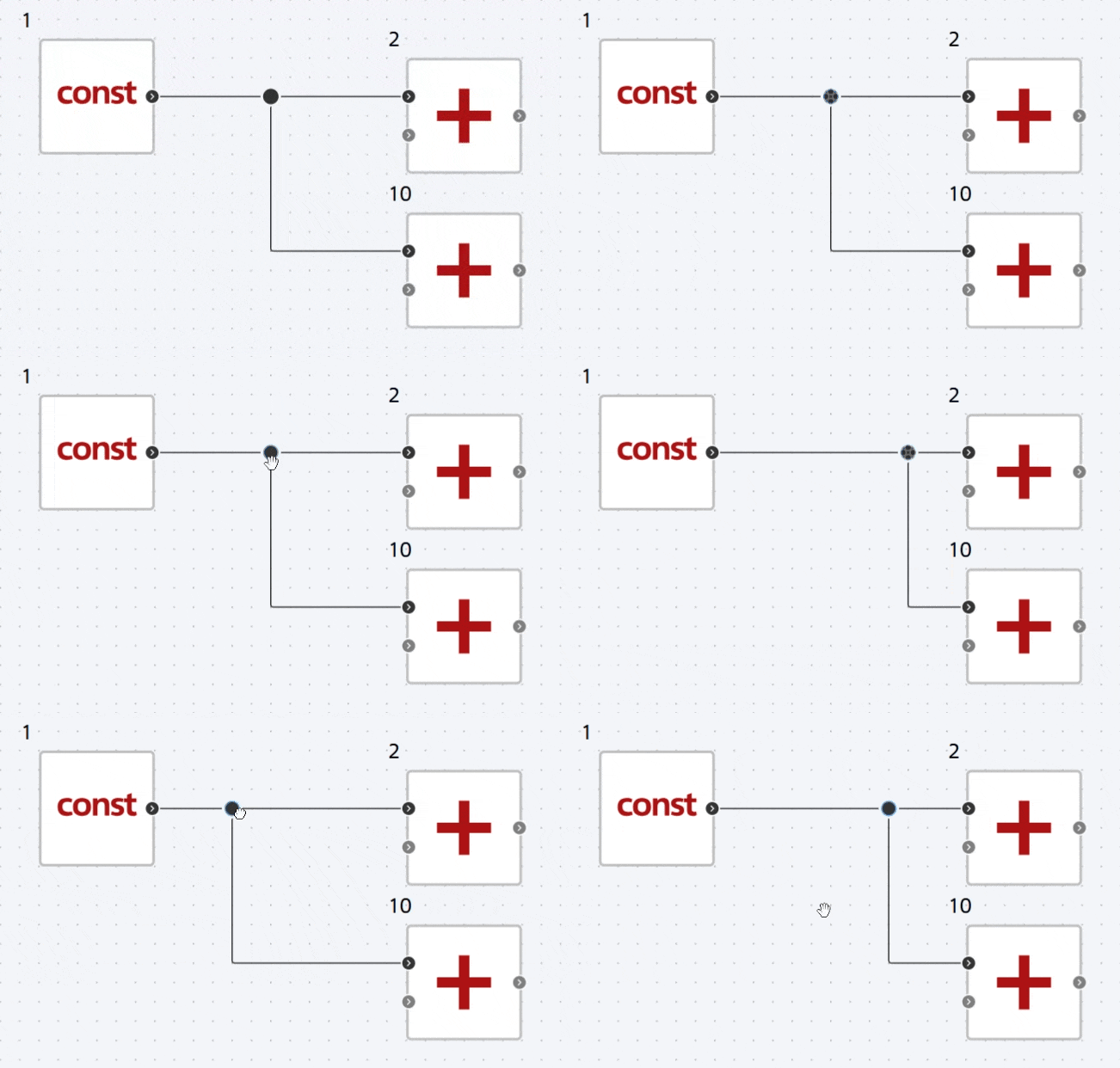
Fig. 4 Example of moving a node#
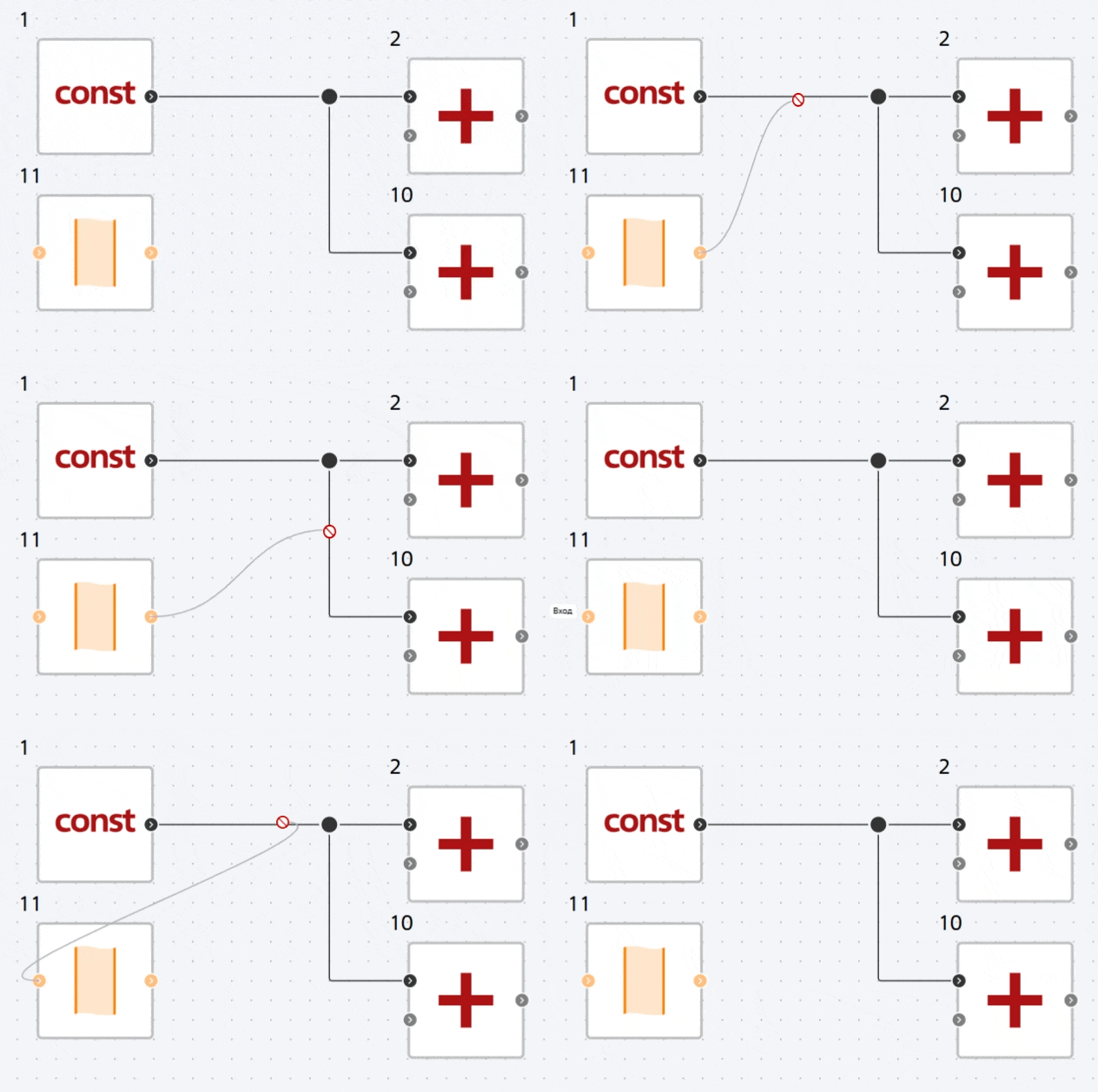
Fig. 5 Example of failure to create a node#
Important
It is possible to create a node only if the same types of ports are connected (see Description of block ports and Fig. 5)
To delete a node, you must do one of the following:
Note
The node is deleted along with all the connection lines to which it is connected
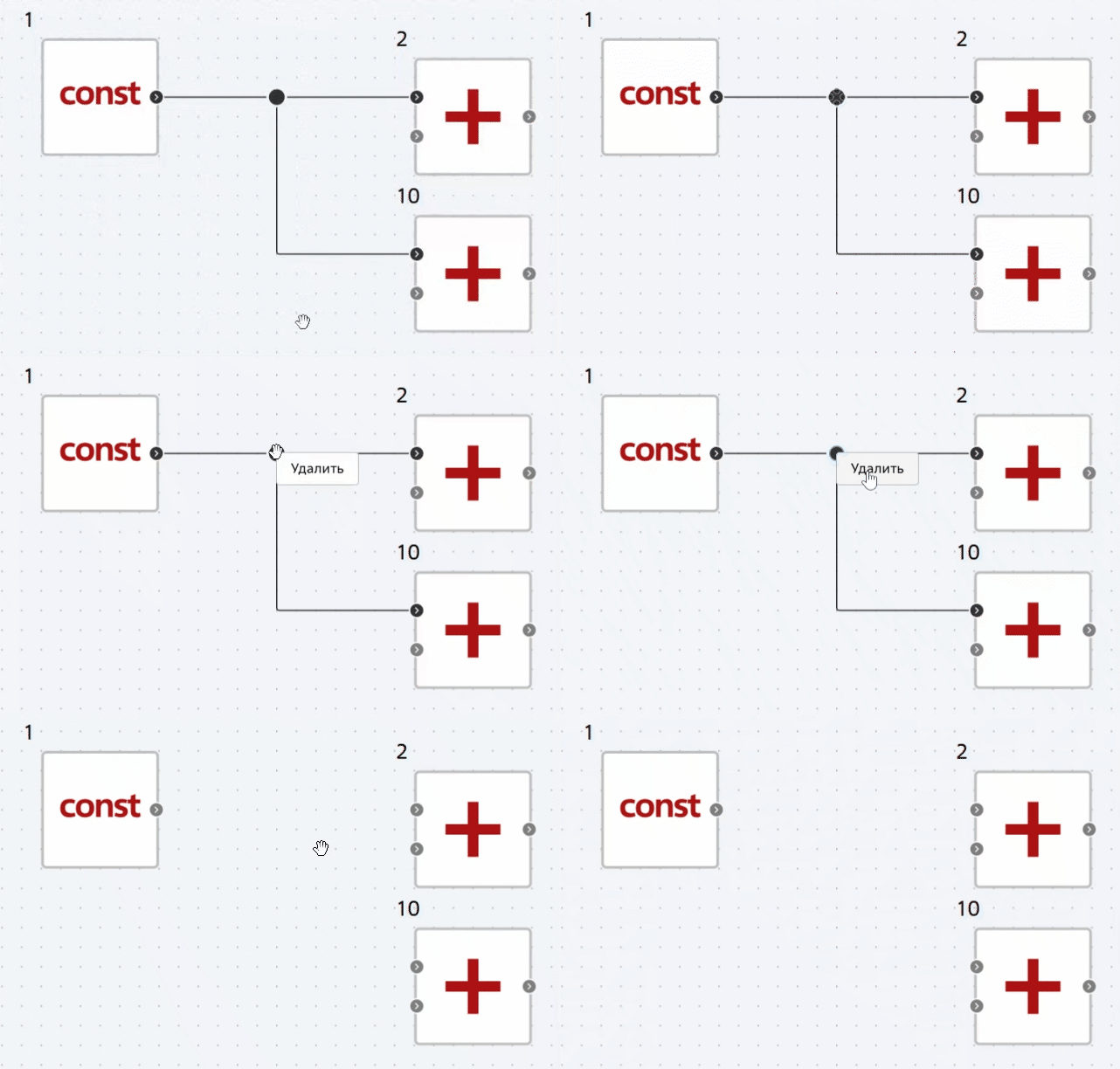
Fig. 6 The first method of removing a node#
Fig. 7 The second way to remove a node#