

Local variables#
The local variable functionality allows you to set properties at the group level and reference them from the properties of nested blocks, in order to reduce the time for setting up models and eliminate errors associated with manually entering the same values in multiple blocks.
Important
A local variable, unlike a Global variable, is valid only at the level where it was created.
A variable created within a group, project, or custom block. Visible only to blocks within that container.
A variable created at the project level. Visible to all blocks without exception.
1. Supported values#
Type |
Example |
|---|---|
Integer values |
2 |
Floating-point numbers |
2.0 |
Arrays of numbers |
1;2;3;4 |
Array of arrays |
[[1.0;2.0],[3.0;4.0]] |
Hint
Local and global variables support the same value types
2. Creating a Local Variable#
To add a local variable, you need (see Fig. 2 below):
Click LMB on the Variables tab in the bottom panel, which will open the Local variables tab;
In the tab that opens, you need to click on the + Add button:
Specify the variable name;
Enter its value;
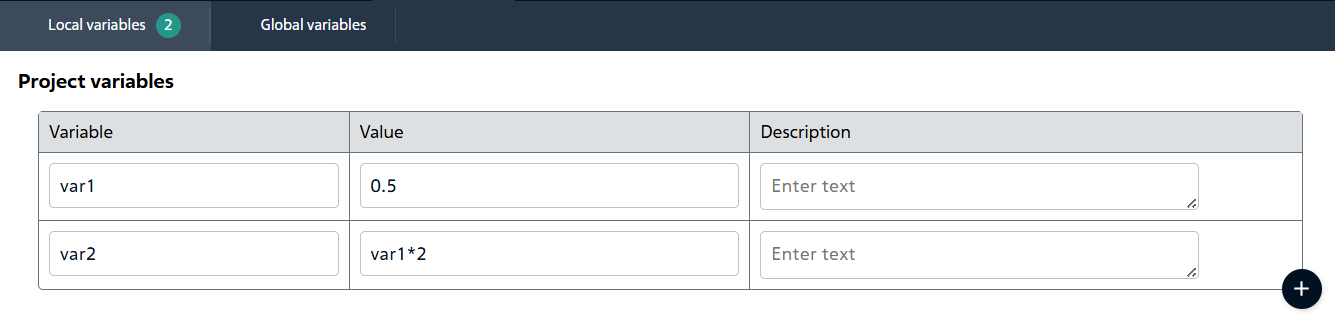
Fig. 1 Using references to other variables#
If necessary, enter a description.
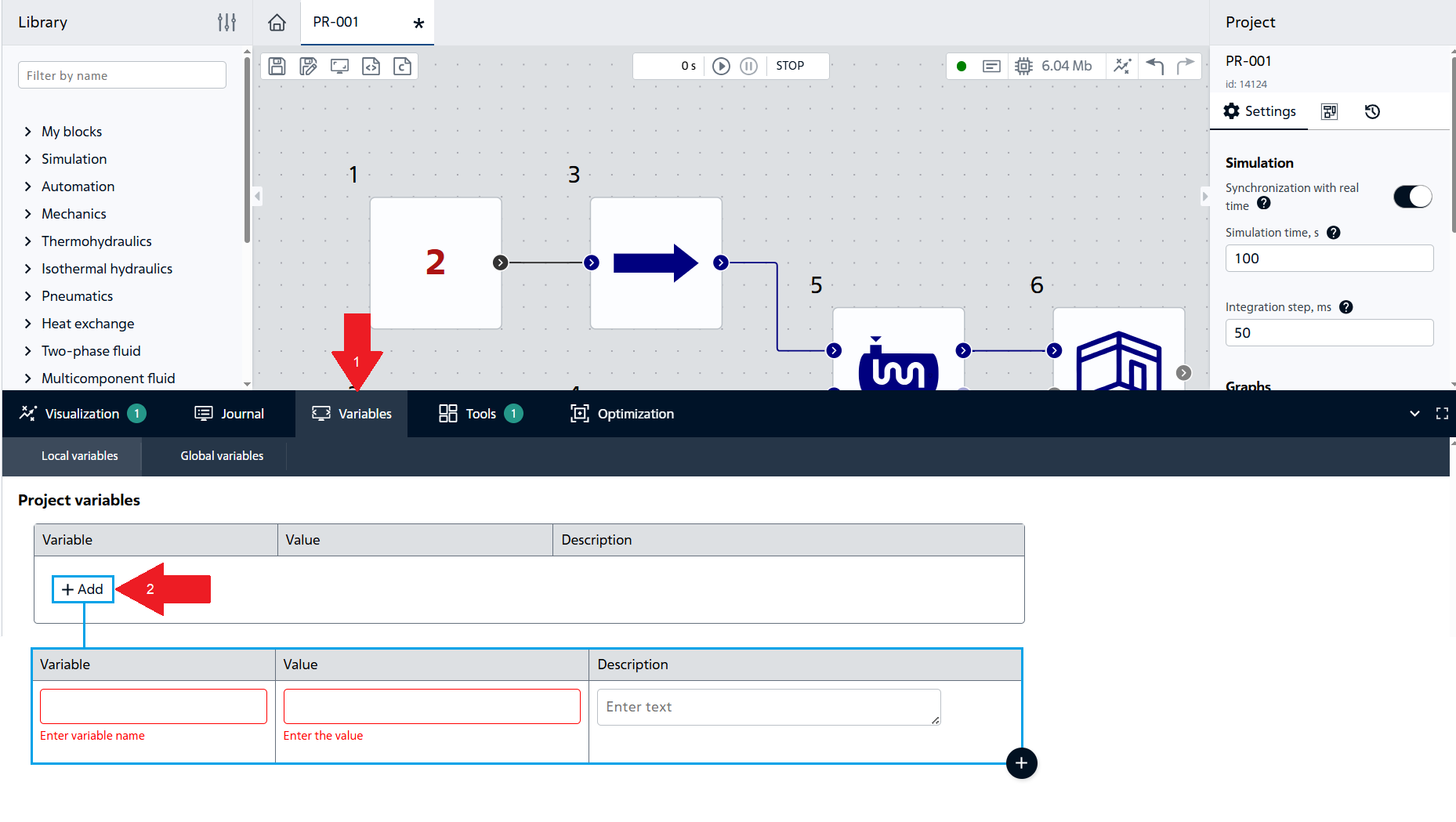
Fig. 2 Adding a local variable#
Note
After adding a local variable, it can be used as a property value, including being specified in several properties/blocks at once.
3. Displaying a local variable in the «Group» properties#
In order to display a local variable in the properties of a group, it is necessary (see Fig. 3 below):
Click LMB on the Add property button located in the panel on the right;
Set the flag next to the Variable type;
Follow the instructions for creating a local variable.
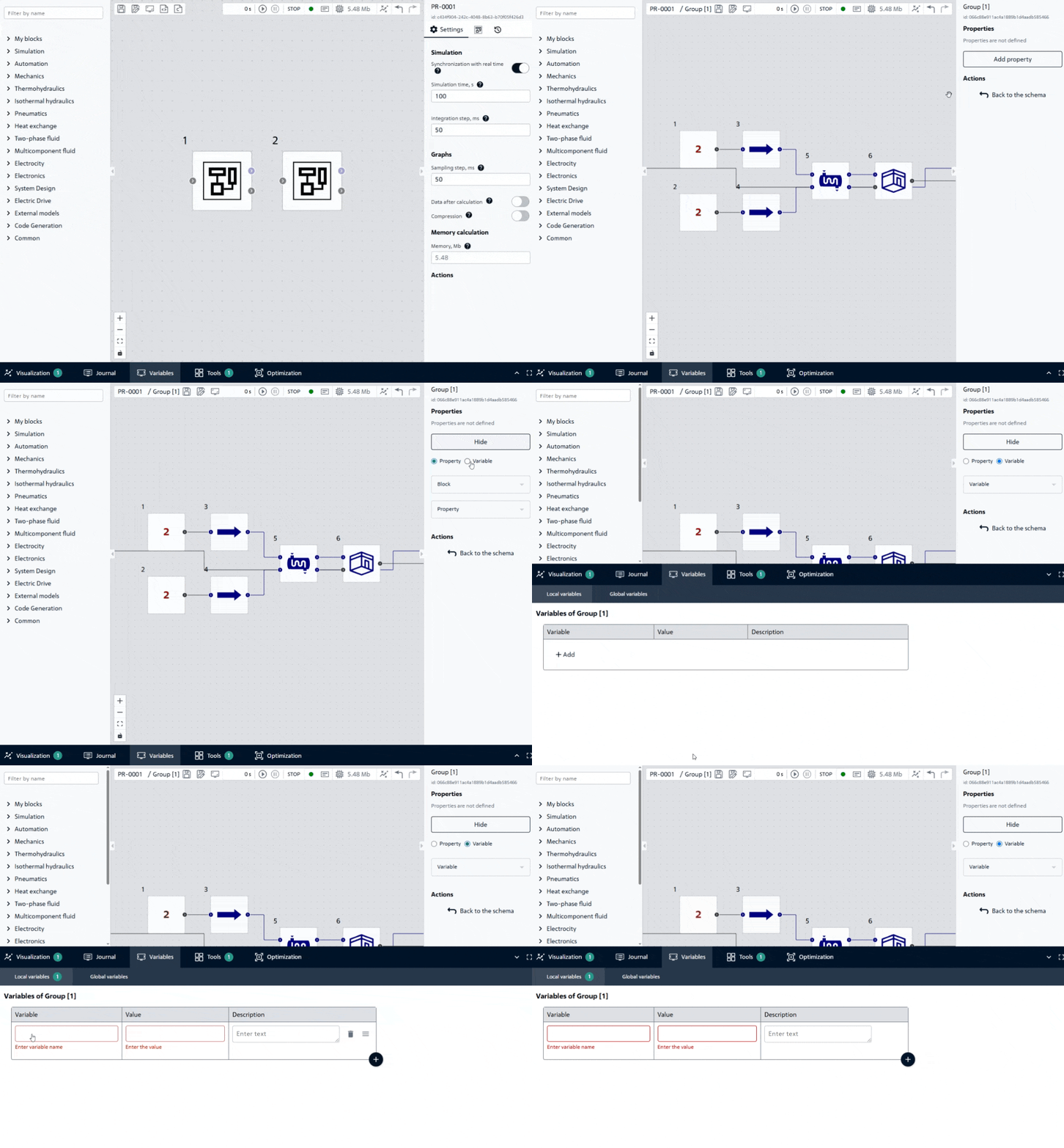
Fig. 3 Entering a local variable into the Group properties#
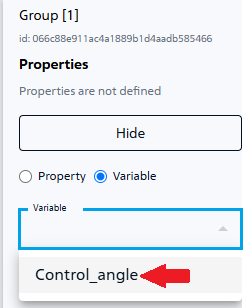
Fig. 4 Selecting a variable for a Group#
After this, the variable will be added to the block properties and it will be possible to edit its value.
To change the name of a property, you need to (see Fig. 5 below):
Double-click LMB on the property title;
Enter a new name;
Click on the green checkmark on the right.
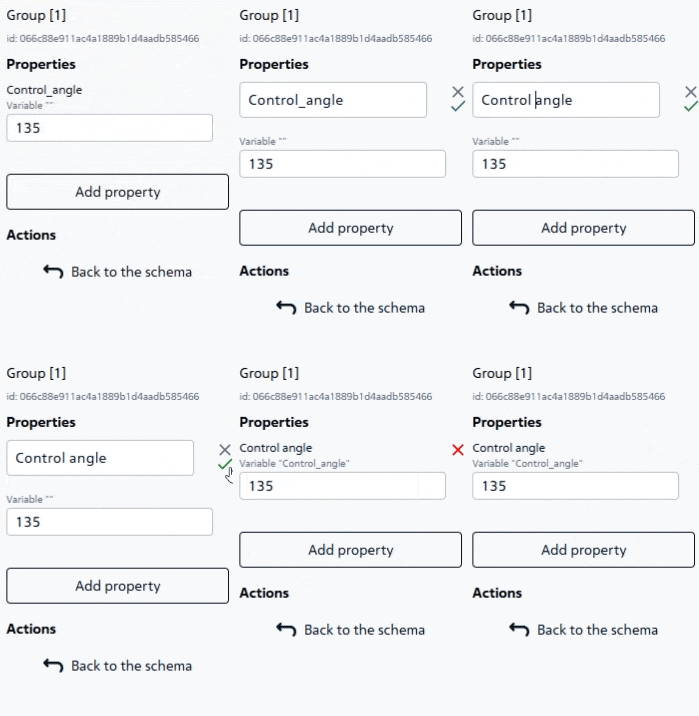
Fig. 5 Changing the property name#
4. Outputting a local variable to the properties of a «Custom block»#
In order to display a local variable in the properties of a custom block, it is necessary (see Fig. 6 below):
Go to custom block by double-clicking LMB;
Proceed starting from step 2 instructions for displaying a local variable in the properties of the «Group».
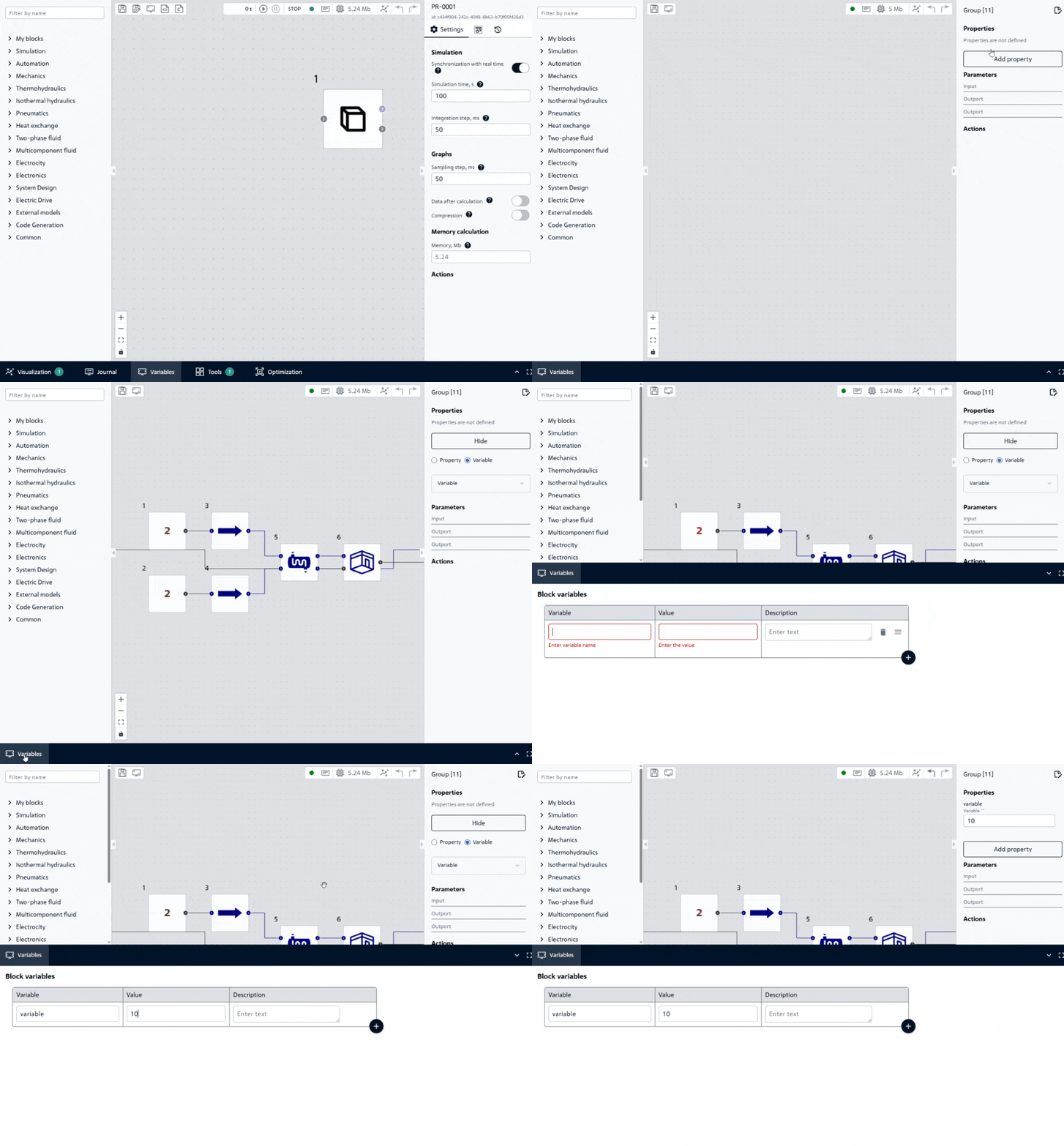
Fig. 6 Entering a local variable into the properties of a Custom Block#
After this, the variable will be added to the block properties.
Then you need to save the changes in the custom block by clicking one of the buttons:
 , located in the upper left corner;
 , located to the right of the custom block tab title (see Fig. 7 below), and then in the new window, click the Save.

Fig. 7 The second way to save changes to the Custom block#
After saving the changes, the following message appears, Fig. 8:
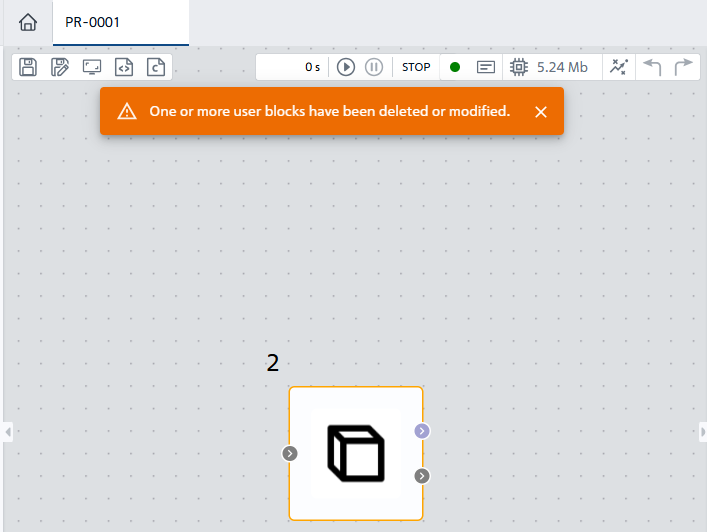
Fig. 8 Message about changing the Custom block#
Note
Now when adding the current custom block in other projects:
it will be available with a new property;
you can change the value of a variable in the right panel without having to open the custom block in a separate window.
5. Outputting a local variable to the properties of the Project Block#
In order to display a local variable in the properties of a project block, it is necessary (see Fig. 9 below):
Click on the button
 , located in the top right panel;
Proceed starting from step 2 instructions for displaying a local variable in the properties of the “Group”.
Fig. 9. Entering a local variable into the project block properties#
Note
Now, if you select the name of the project in which a local variable is entered when initializing the Project block in any project, the entered local variable will be available in the properties of the Project block.
See also
If you have any questions about using a local variable, we recommend that you read the FAQ section - subsection How local variables work in projects:
What if I create a local and global variable with the same name?
I created a group with local variables and placed a copy of it in the project, are the variable references related to each other?
Can i use local variables in old projects?
Are local variables visible outside the group?
Is it possible to rename a variable and update all references?
Can local variables be used in expressions?