

REPEAT VISION assistant#
Helps you understand your project in REPEAT VISION: answers questions, explains calculations, suggests formulas, and helps with code.
The chat contains contextual hints-phrases to help the user understand what requests they can send.
If the agent uses an internal knowledge base or theory, it specifies the source.
The complete history of dialogs is saved and linked to the project.
The user has the following options:
view conversation histories of all projects in one list;
delete dialogues from history;
start a new dialogue;
stop and continue generating a response;
Copy the code and formulas received in the response.
1. Operating principle#
While on the “Projects” page or in a project itself, use one of the following options to call the assistant:
Click LMB on the REPRAT VISION assistant call button
 , located in the sidebar;
Use the key combination
Ctrl+B.
In the panel that opens you can (see Fig. 1 below):
Enter your query;
Add a new chat by clicking on the button
 ;
Expand/collapse Dialogs by clicking on the button
 /
 ;
Report an error by clicking the button
 .
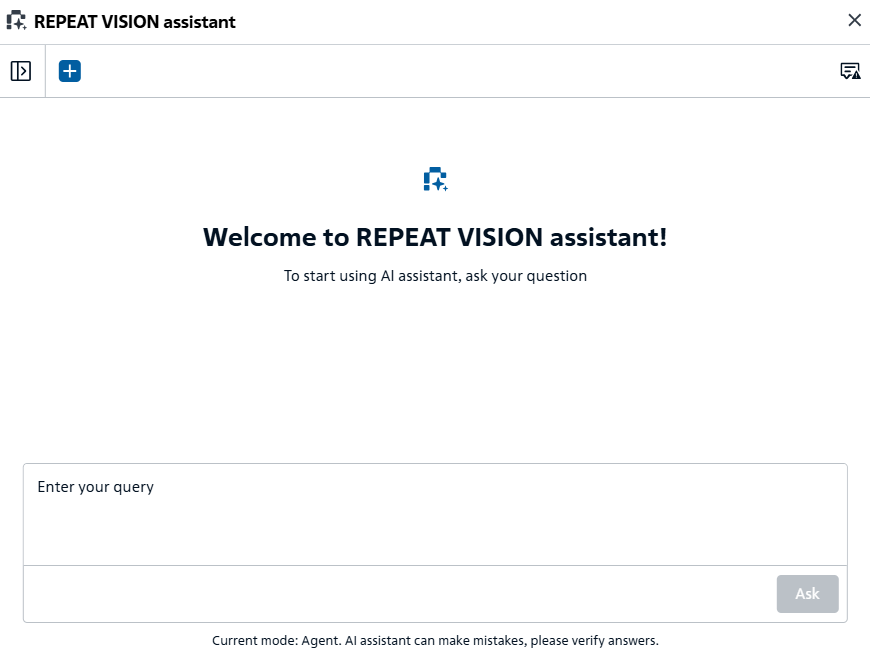
Fig. 1 REPEAT VISION assistant panel#
Send the generated request by clicking on the activating button Ask, Fig. 1.
Note
When the daily request limit is reached, the message You have reached your daily request limit for today. Limit: N requests per day is displayed when sending a request.