Values ​of coefficients on blocks#

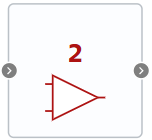
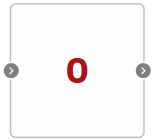
This feature allows you to display the numerical values ​​of properties defined for a number of blocks, instead of an image of the block itself.

Список блоков, поддерживающих отображение численных значений свойств

Block

Displayed property

Example of a block image with the default property value

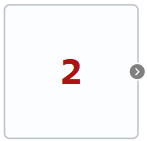
Constant

Constant value

2

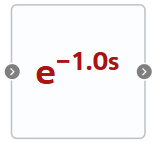
Ideal transport delay

Delay time

1.0

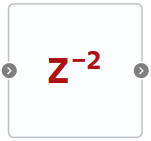
Delay for n samples

Delay length in samples

2

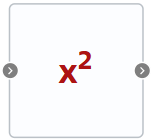
Raising to the constant power

Power

2

Gain

Gain

2

Bias

Bias takes into account the signs + and -

0

Differentiation block with characteristic time

Gain and Characteristic time - two properties are displayed on the block at once

2

Inertia block

Gain and Characteristic time - two properties are displayed on the block at once

2

Integrator with constraints

Gain

1.0

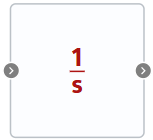
Integrating block (Time domain integration)

Gain

1

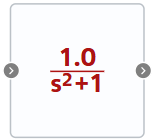
Oscillating link

Gain, Time constant and Damping coefficient - three properties are displayed at once on a block

1

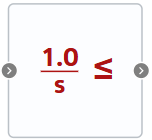
Compare to Constant

Comparison constant, the sign changes depending on the entered value of the Comparison operator property:
0 - >;
1 - \(\geq\);
2 - <;
3 - \(\leq\);
4 - =

0

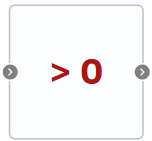
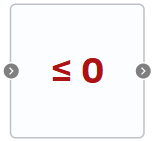
Compare to Zero

Compare operator, the sign changes depending on the entered property value:
0 - \(\leq\);
1 - =;
2 - <;
3 - \(\geq\);
4 - >

0

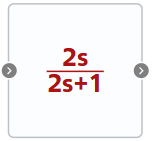
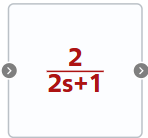
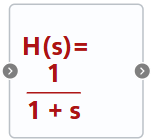
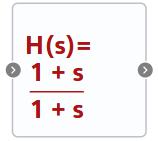
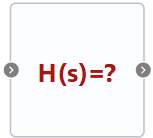
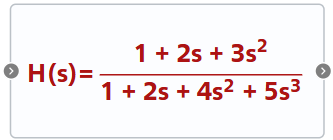
Transfer function

Numerator coefficients and Denominator coefficients - two properties are displayed on the block at once, the equation changes depending on the coefficients, the size of the equation depends on the number of coefficients in the numerator and denominator

1 - by default;
1 - Numerator coefficients - 1;1, Denominator coefficients - 1;1;
1 - Numerator coefficients - 0, Denominator coefficients - 0;
1 - Numerator coefficients - 1;2;3, Denominator coefficients - 1;2;4;5, If the block image does not change due to a large number of entered numerator/denominator coefficients, then you need to stretch the block image with the mouse

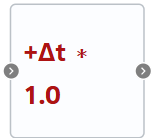
Weighted Sample Time Math

Type of operation - changes sign depending on the selected property value and Sample time weight - two properties are displayed at once on the block

1.0

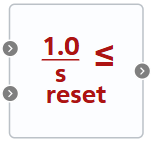
Constrained integrator with reset

Gain

1.0

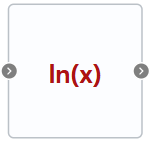
Logarithmic function

Logarithm type - changes the image depending on the selected property value type

1.0

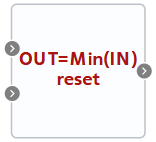
MinMax Running Resettable

Operation type - changes the image depending on the selected property value type

Min